Share with others:

Fritz!Box 4690 test: 10-gigabit connectivity in the home environment

When I recently completed testing the models Fritz!Box 7690 and 5690 Pro, I thought I had seen the peak of what German giant AVM could offer for modern households, but the announcement of the arrival of the Fritz!Box 4690 model forced me to rethink what we actually need in the age of fast optics.
While the previous models focused on integrated modems for DSL or specific optical standards, the Fritz!Box 4690 returns to the roots of purebred routers, with a touch of the future dictated by 10-gigabit wired networks and the Wi-Fi 7 standard.
Fritz!Box 4690 price and specifications
- Fritz!Box 4690: €289.99 at official website
| Wi-Fi standard | Wi-Fi 7 (5 GHz), Wi-Fi 6 (2.4 GHz) |
| Frequency bands | Dual-band (2.4 GHz + 5 GHz), no 6 GHz |
| Max. theoretical Wi-Fi speed | Up to 5760 Mbit/s (5 GHz), up to 1200 Mbit/s (2.4 GHz) |
| LAN connections | 1× 10 Gb/s WAN/LAN, 3× 2.5 Gb/s LAN |
| WAN connection | 10 GbE (RJ45), for external modem/ONT |
| USB | 1× USB 3.0 |
| Telephone connections | 2× analog (RJ11/TAE), DECT base |
| Mesh support | Yes (Fritz!Mesh) |
| Smart Home | DECT ULE smart device support |
| VPN | IPsec and WireGuard |
| Wi-Fi security | WPA2, WPA3 |
| Dimensions | Approx. 25 × 18 × 7 cm |
| Energy consumption | Approx. 13-14 W |
| Installation | Desktop |
We have entered the realm of exaggeration for domestic needs, but nothing for that
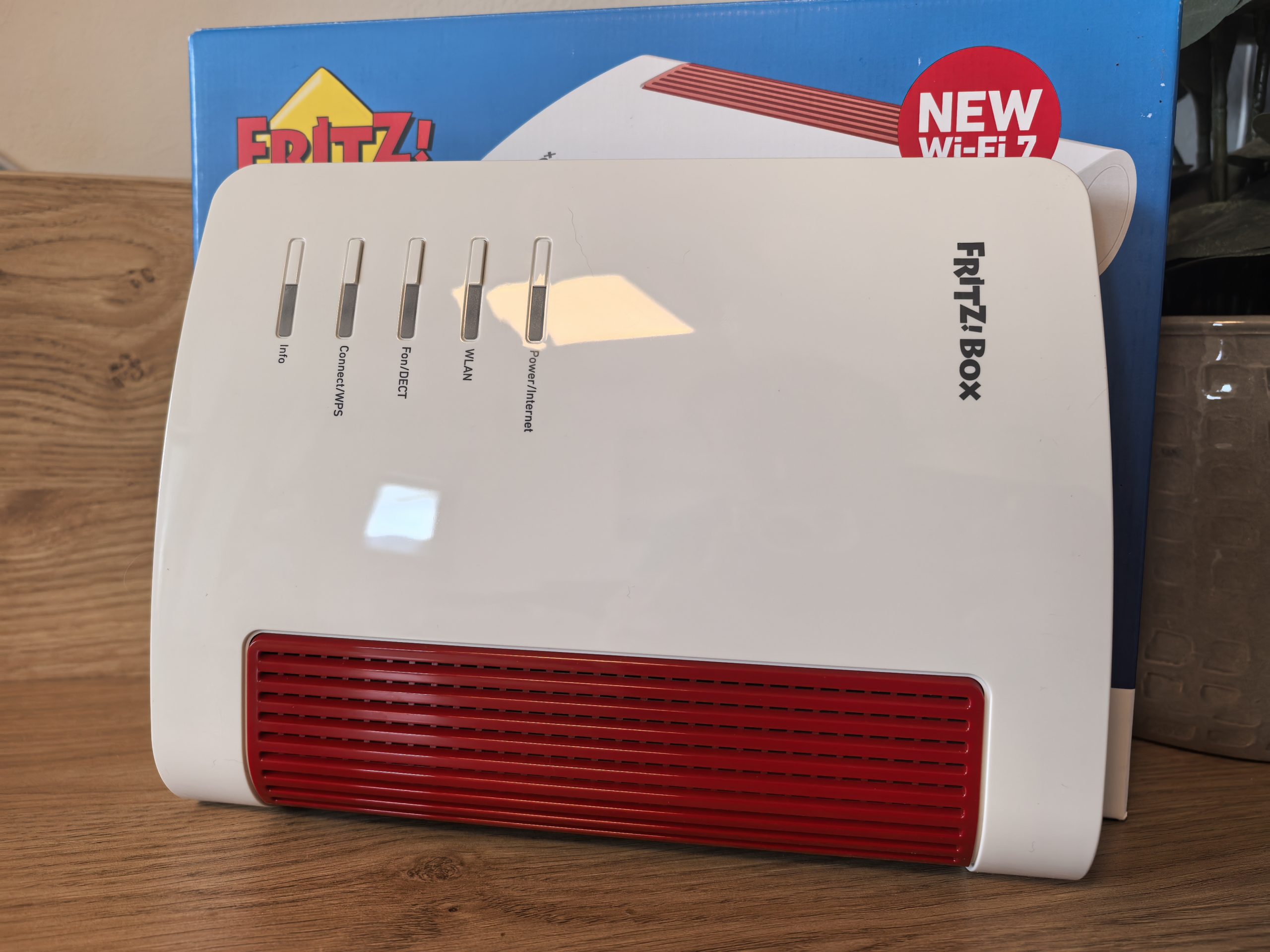
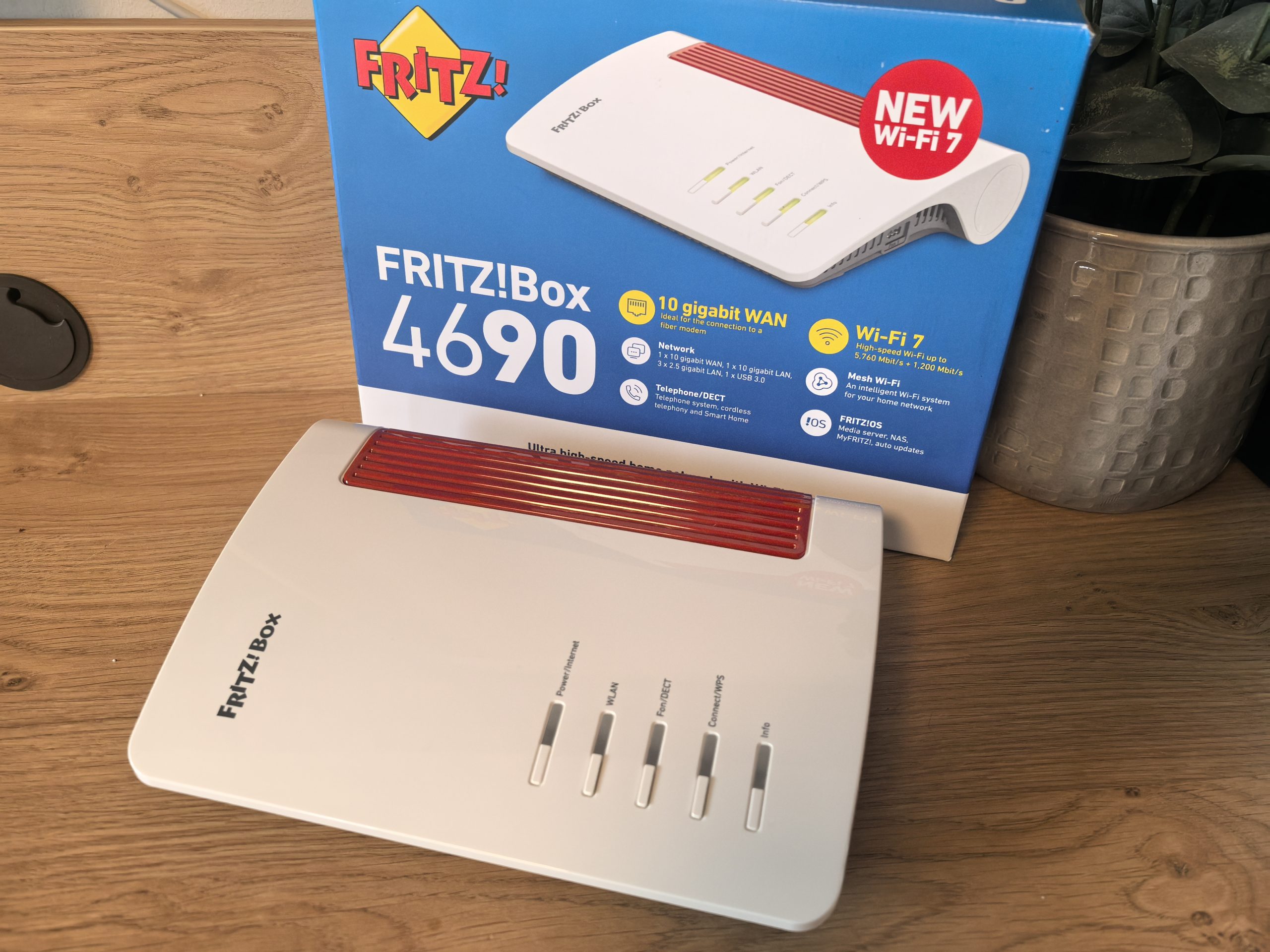
The Fritz!Box 4690 is a high-performance router with a cutting-edge feature set, which is also reflected in the price. It currently costs around €300 (depending on the retailer and any promotions), which puts it slightly lower than the 5690 Pro, but still among the more expensive home routers. For this price, it offers impressive hardware that promises a long service life. The housing retains the recognizable Fritz!Box design language - a combination of white plastic with red accents.
It's a relatively flat device (about 25 × 18 × 7 cm) that can be placed on a table or shelf. You'll have a hard time distinguishing it from the 7690. The surface of the device is shiny, so fingerprints are easy to spot, but we all hope that after the first installation, we won't have to touch the router often.
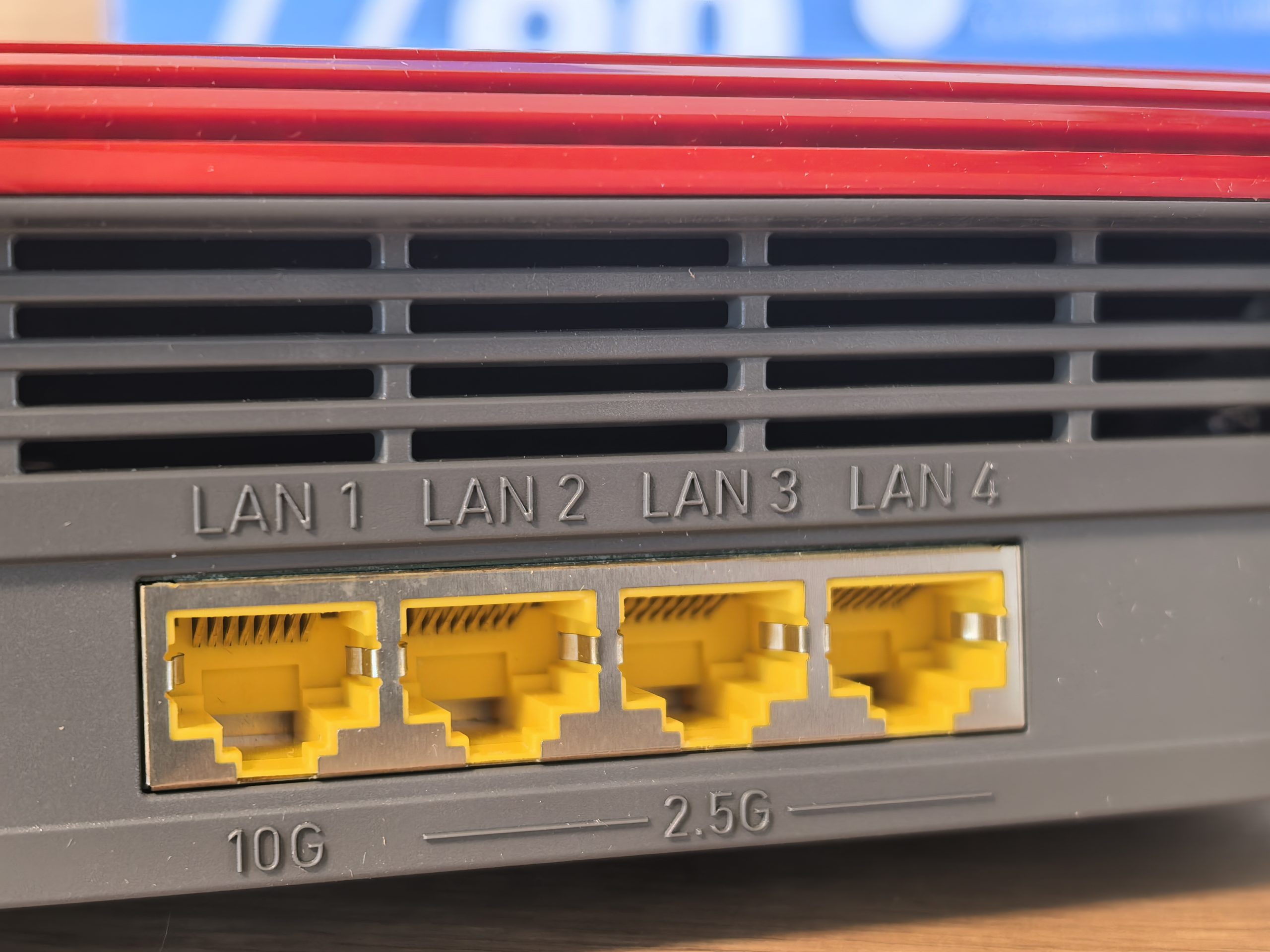
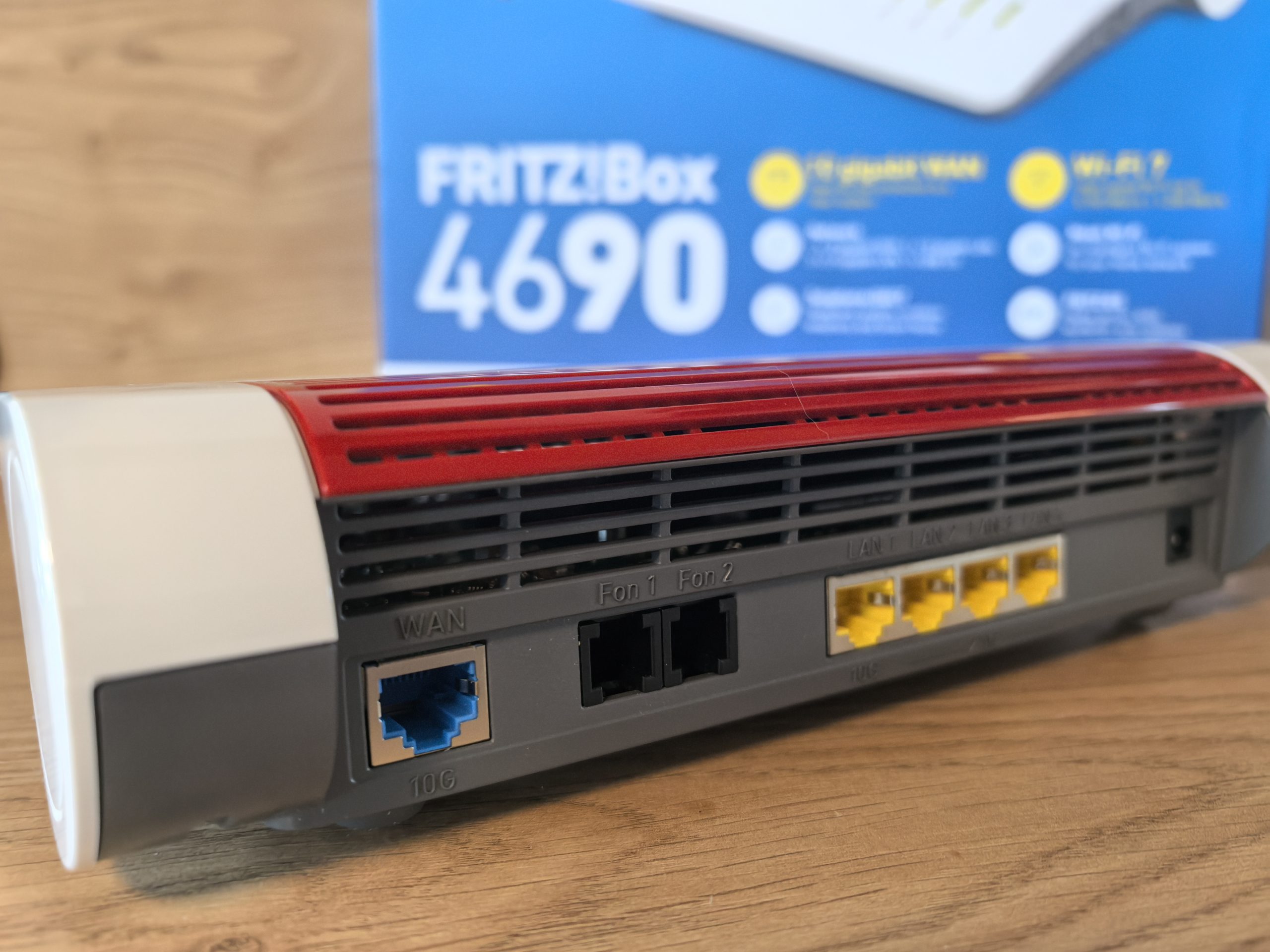
On the back of the Fritz!Box 4690, I was greeted by a real paradise for connecting devices. The 10-gigabit ports stand out - one for WAN (connection to an external modem/ONT), and the other for the LAN network. A 10-gigabit port is clearly overkill for a home user, unless you have set up a lab at home, but if you are ready to buy such a device, then you want to get the best that is available. In addition, there are three 2.5-gigabit LAN ports. If you have devices that require high speeds, this will be important to you. In my case, I connected a NAS server to it (in addition to a mini computer). Unfortunately, my operator does not yet offer speeds higher than gigabit, but at least I am prepared for the future. The Fritz!Box 4690 does not have standard gigabit ports at all. All inputs are of a higher order.
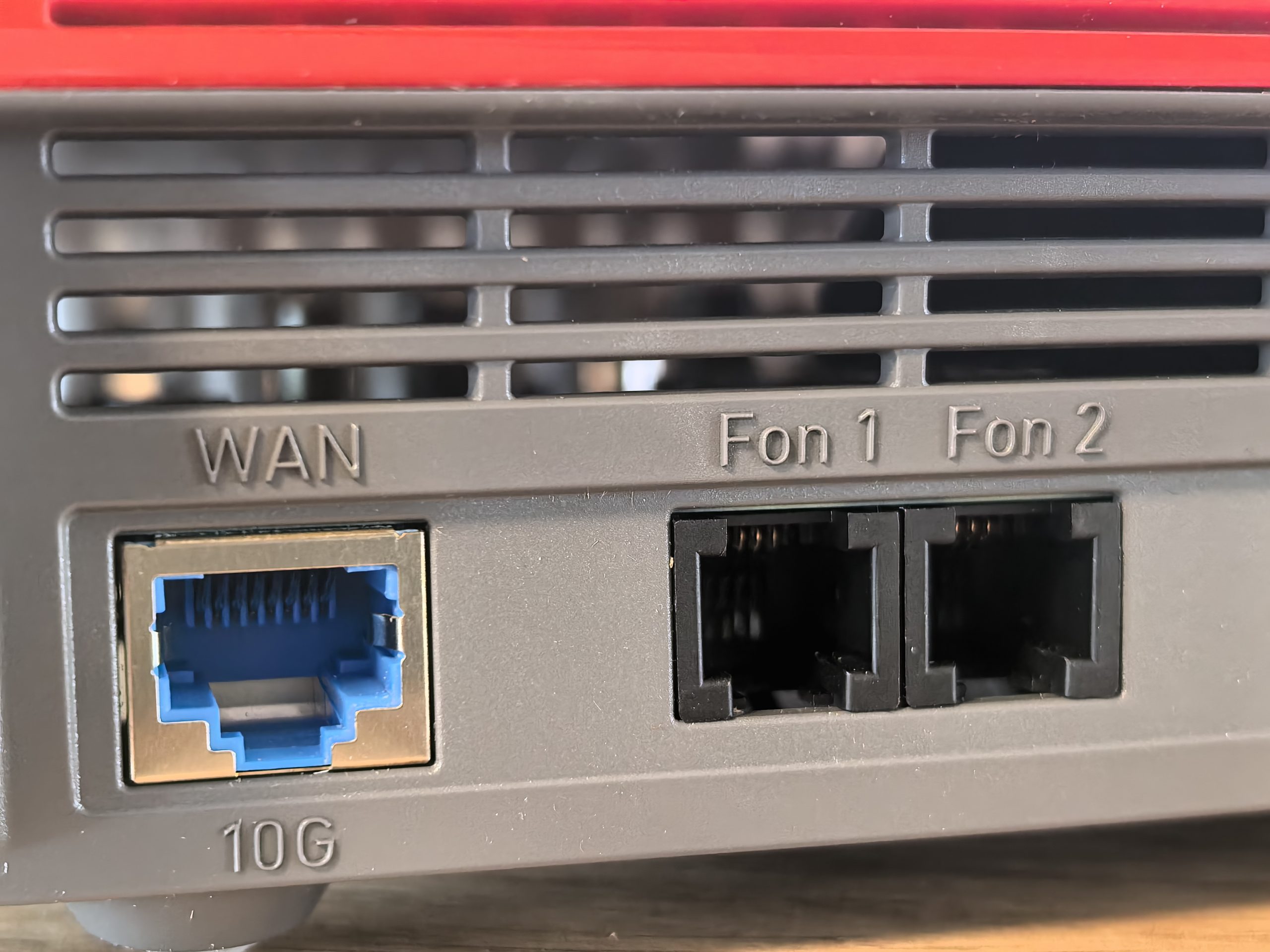
In addition to the network ports, we also see two telephone ports (RJ11/TAE) for an analog phone or fax. Yes, the Fritz!Box remains true to its origins as a combined router - it has a built-in telephone exchange with a DECT base station. This is one of the special features that competing Wi-Fi 7 routers usually do not have. I don't know anyone who still uses a landline phone, but in offices it is still important.
There is another USB 3.0 port on the chassis for connecting an external drive or printer - via the FRITZ!NAS function, the router can also serve as a simple network drive or media server for sharing content around the house.
Compared to the 5690 Pro, it lacks an SFP slot for direct fiber and a DSL port, but that's to be expected. The Fritz!Box 4690 is intended for use with external provider equipment (which is why it's also slightly cheaper, as it doesn't have an integrated DSL/GPON modem).
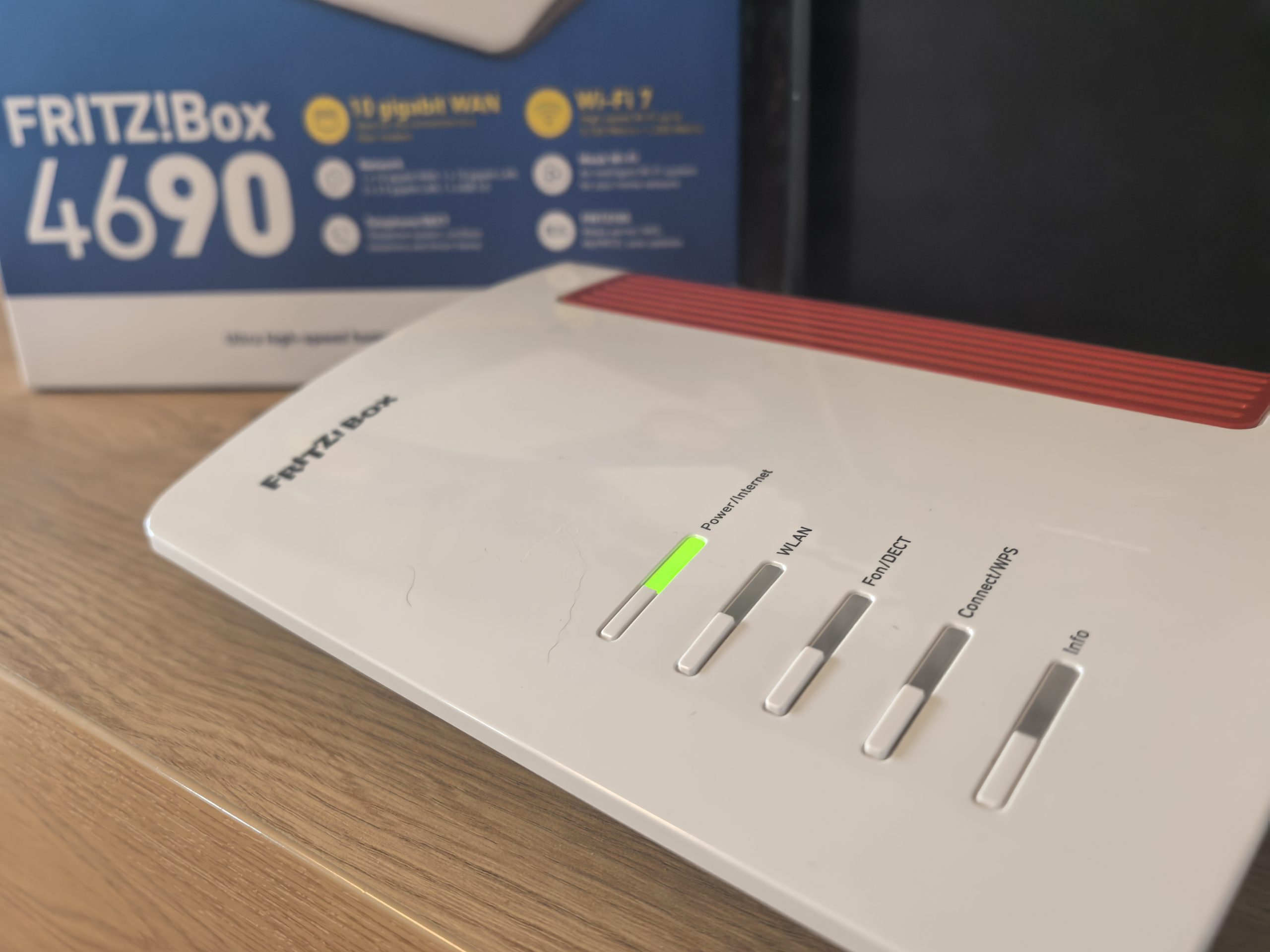
On the front and top are classic LED indicator lights and buttons (for Wi-Fi WPS connection, DECT, WLAN on/off, etc.), which allow you to quickly connect devices or turn off the wireless network when it is not needed.
Not only hardware, but also software is very advanced
FRITZ!OS combines network and communication functions under one roof. Immediately after connecting the Fritz!Box 4690 to my home network, I accessed the user interface (http://fritz.box) through a browser. Installation is simple. The interface guided me through the basic steps of setting up an Internet connection (since I use the operator's optics, I connected the 4690 to its media converter via the 10 Gb WAN port and set up PPPoE access with user data). The Fritz!OS interface looks a bit old-fashioned at first glance (it is not the most modern graphically), but it is extremely intuitive and rich in options.
Fritz!OS offers many features for advanced users, but is also friendly to beginners. Wizards are available for every setting - for example, for configuring a phone number, setting up a VPN connection or adding smart devices. If you are not interested in the details, you can leave the default settings, which are already set up safely and optimally. I quickly tested the parental controls and creating a guest network. Since I have been using Fritz equipment for some time, this is not a problem for me. Even complete novices will be able to get to the desired functions in just a few minutes.
It's worth noting that the 4690 doesn't have a built-in Zigbee gateway (the Fritz!Box 5690 Pro does), meaning it doesn't directly support Zigbee/Matter devices. This isn't a huge loss for me, as most of my smart devices use Wi-Fi or DECT ULE, but some might miss this functionality compared to a more expensive model.
Wi-Fi 7 wireless performance (speed, range, stability)
What I and you are most interested in is how the Fritz!Box 4690 performs in wireless connectivity. The Wi-Fi 7 (802.11be) standard promises higher speeds, lower latency, and better spectrum utilization compared to the previous generation. It is important to note, however, that the 4690 model is a dual-band router, meaning it operates on the 5 GHz (Wi-Fi 7) and 2.4 GHz (Wi-Fi 6) frequency bands. It does not support the 6 GHz band, unlike the more expensive 5690 Pro. Theoretically, this means that the total wireless bandwidth is slightly lower (up to 7 Gbit/s in the sum of both bands, while the tri-band 5690 Pro with an additional 6 GHz offers over 11 Gbit/s). Most people will not miss the additional bandwidth. Those of us with multiple devices, however, want 6 GHz to be reserved for those who really need all the bandwidth.
I used a similar approach to the 7690/5690Pro models for the test. I have T-2 internet on my network with 500 Mbps symmetrical speed, which is also the upper limit to which I can use Wi-Fi performance. I connected a desktop computer and a laptop with a Wi-Fi 7 card. Unfortunately, I do not have the ability to connect to the 6-GHz band on my laptop, and I have a newer smartphone. I measured throughput using iPerf and Speedtest, while also monitoring the responsiveness (ping) to a nearby server.
In the same room, about a meter from the router, the numbers were impressive. The laptop connected to a 5 GHz network with full Wi-Fi 7 (160 MHz channel, 4096-QAM). I managed to squeeze 480–500 Mbps of actual speed out of my 500 Mbps stick, practically full connection capacity. This is comparable to the result of the 5690 Pro model (I measured around 500 Mbps there) and slightly better than with the Fritz!Box 7690, where I achieved around 450 Mbps at the same distance. The most likely reason is the slightly updated radio part. The Fritz!Box 4690 supports 4096-QAM modulation and wider channels, which raise the theoretical speed at 5 GHz to 5760 Mbps (with the 7690/5690Pro the number is the same for 5 GHz, but there are probably intermediate optimizations in the firmware).
Latency (ping) in the same room was practically zero, averaging 2-3 ms, with minimal variance. These are exceptional numbers for a wireless connection, and as an avid online gamer, I can confirm that it feels just as good as wired. Even streaming 4K video from a local media server was smooth.
The second test scenario was in the next room, about 5 meters away and through one wall. The Fritz!Box 4690 maintained very good performance despite the obstacle. The laptop still stuck to the 5 GHz band (the phone even switched to 2.4 GHz due to a slightly better signal in one of the tests, but I manually switched it back to 5 GHz for comparison). The transfer speed in this room averaged around 410-420 Mbps, which is just a little less than ideal. This is equal to or slightly better than what I measured with the 7690 (around 400 Mbps).
I should mention that I live in a block with several neighbors and their Wi-Fi networks. During the test, I did not notice any sudden drops in speed, which means that the Fritz!Box 4690 successfully avoids interference by choosing the optimal channel and using the new capabilities of the standard. The latency remained low even in the neighboring room, between 4-6 ms, and the connection was stable and without lost packets.
The biggest challenge for any Wi-Fi remains covering the far corners of the home. In my case, this is an office on the second floor, where the signal travels through several walls and the ceiling. This time I tried it first without any amplifier, just with the power of the Fritz!Box 4690 itself. As I expected (and similar to previous tests), the speed dropped significantly here. From ~500 Mb/s on the ground floor, we got to about 140–150 Mb/s on the second floor. This is a little better than what I measured with the 7690 (130 Mb/s), but still not enough for all my needs in the office. The ping rose to about 15–20 ms, which is better than the 20+ ms on the 7690, but still noticeably worse than on the ground floor.
In short, the connection worked in this remote room, but longer work or more demanding online games would have suffered on such a connection – the speed fluctuated between 100 and 150 Mb/s, and the delays occasionally jumped to the edge of bearable. Here, unfortunately, the higher Wi-Fi standard cannot miraculously overcome physics. Higher frequencies (5 GHz, let alone 6 GHz) simply do not penetrate massive obstacles. The fact that the Fritz!Box 4690 does not have 6 GHz is not a minus in this context. Even the 6 GHz signal from the 5690 Pro practically does not reach my upper stucco, so it would be useless there.
Since I am happy with the mesh Wi-Fi concept, I naturally also tested the combination of the Fritz!Box 4690 with a mesh repeater. I have a Fritz!Repeater 3000 AX (Wi-Fi 6 tri-band repeater) at my disposal, which I already used in the 7690 test. I installed the repeater on the first floor, about 8 meters from the main router (where the 5 GHz signal starts to drop). The connection between the 4690 and the repeater is on the 5 GHz band.
The Fritz!Box 4690 has to share its single 5 GHz band between devices and the backbone to the repeater, but the 3000 AX repeater partially mitigates this by having three bands of its own (using one only to connect to the router). The result? Much better coverage on the second floor. Where I was barely getting 130 Mbps before, I'm now aiming for around 300-350 Mbps of stable speed with the mesh system, and the ping has dropped to 6-7 ms.
For my needs (online work, occasional gaming), this is more than enough and practically equivalent to a cable connection (total ping to Internet servers is 30 ms, which is about the same as directly via fiber optic cable). Roaming between floors works flawlessly; as I move around the house, devices automatically switch to a better signal (4690 downstairs or repeater upstairs) and I didn't notice any interruptions in video calls or games.
The Fritz!Box 4690 performed well, but not miraculously. In close proximity and under normal conditions, it offers slightly better performance than its predecessors (thanks to Wi-Fi 7), but there are no drastic differences, especially if you don't have devices that can take advantage of Wi-Fi 7. The network's range remains limited by physical factors. If you have a larger apartment or house, it's difficult for a single router to cover all corners, regardless of which standard it uses. That's where mesh solutions or wired access points come into play.
Fritz!Box 4690 – Wi-Fi 7 for demanding but pragmatic users
After a few weeks of using the Fritz!Box 4690, I can say that it is an extremely capable router aimed at slightly more demanding home users or small businesses. Is Wi-Fi 7 necessary? For most people, it may not be. But if you are buying a new router with the future in mind, the 4690 is a great investment. Compared to the Fritz!Box 7690 (which I tested earlier), the 4690 delivers a similar wireless experience, but adds more speed on the wired ports and takes away the 6 GHz band, as well as the integrated modem.
I would recommend it to those who already have or plan to have very fast internet. If you are one of the lucky ones with 1 Gb/s or more fiber, the 4690 will also prepare you for the jump to 2.5 Gb/s or even 10 Gb/s connections in the future. Dual 10-gigabit ports (WAN and LAN) mean that the router will not be the bottleneck.
On the other hand, if you use a DSL connection or need a direct GPON module for optics, the 4690 will not be the right choice. In this case, you should rather go for the Fritz!Box 7690 (DSL up to 300 Mb/s) or the Fritz!Box 5690 Pro (DSL + optics in one device). It also lacks the 6 GHz Wi-Fi band, which may be a minus for those who want the latest spectrum.