Share with others:

FutureAIO AIO24 test – are all-in-one computers the answer to the current situation?

I never paid much attention to all-in-one computers. Their existence was on the fringes of my awareness. I understand their convenience (a computer and a display in one), but it always bothered me that I was then stuck with what I bought. Any upgrade would lead me down a path of thorns or would not exist at all. The built-in modules usually did not allow for user intervention. I was a much bigger ally of mini computers, which are also perfect for users looking for convenience, but at the same time at least have a clearer idea of what they can upgrade.
Maybe FutureAIO will change my mind. Not because it's a beastly computer that somehow has an RTX 5090 built into it (it doesn't). Its biggest asset, at least in my eyes, is the ability to easily remove the module that houses all the hardware and replace it with a newer or more suitable one.
This design is particularly interesting for companies where computers are mostly used for office work, and employees primarily need reliability, enough connections, and a tidy work environment. However, modularity alone does not mean that a computer is good. It is also important what it offers today, how much capacity it has available, and where the compromises become too obvious.
My FutureAIO Core i3 version has 16GB of RAM and a 256GB SSD, and uses a processor that is now four years old – an Intel Core i3-1220P.
| Advantages | Weaknesses |
| Replaceable computer module SDM | Processor from 2022 |
| Ergonomically adjustable 24-inch display | Only Full HD resolution and 60 Hz |
| Portrait screen orientation option | Slower SSD with 256 GB capacity |
| Enough processing power for office work | Modest integrated graphics |
| Wi-Fi 6E and Gigabit LAN | Upgradability depends on future module offerings |
| Memory and storage upgrade option | The performance is not suitable for more demanding creative work |
| Retractable camera |
FutureAIO Core i3 – price and specifications
FutureAIO was developed by Concept International, which offers it under the Future brand. When it was introduced in 2025, the starting price of the Core i3 model was around €895, but today I've seen it at Austrian and German retailers (not available here) for around €700.
| Screen | 24 inches, Full HD |
| Resolution | 1920 × 1080 |
| Processor | Intel Core i3-1220P |
| Processor cores | 10 cores, 12 threads |
| Highest frequency | 4.4GHz |
| Graphics | Intel UHD Graphics |
| Working memory | 16GB DDR4 |
| Storage | 256GB SSD |
| Connectivity | Wi-Fi 6E, Bluetooth, gigabit LAN |
| Connections | USB-C, USB-A, HDMI |
| Outdoor displays | Up to 3 additional |
| Camera | Yes |
| Special feature | Intel SDM replaceable compute module |
A display and a computer in one housing, but with a different philosophy
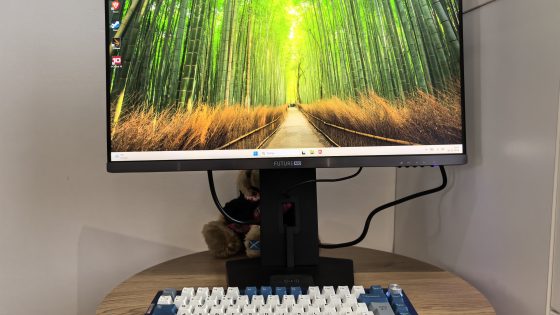
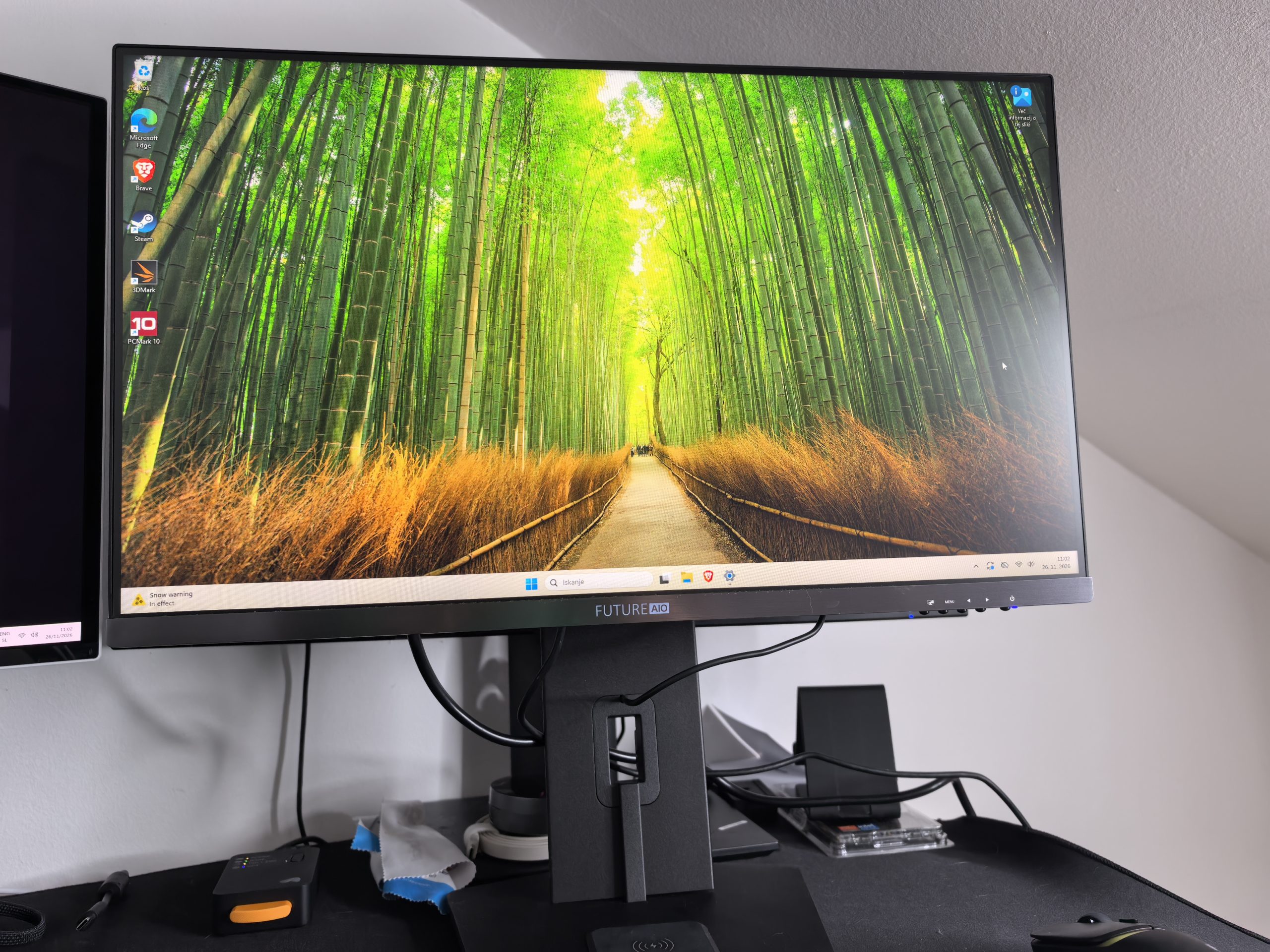
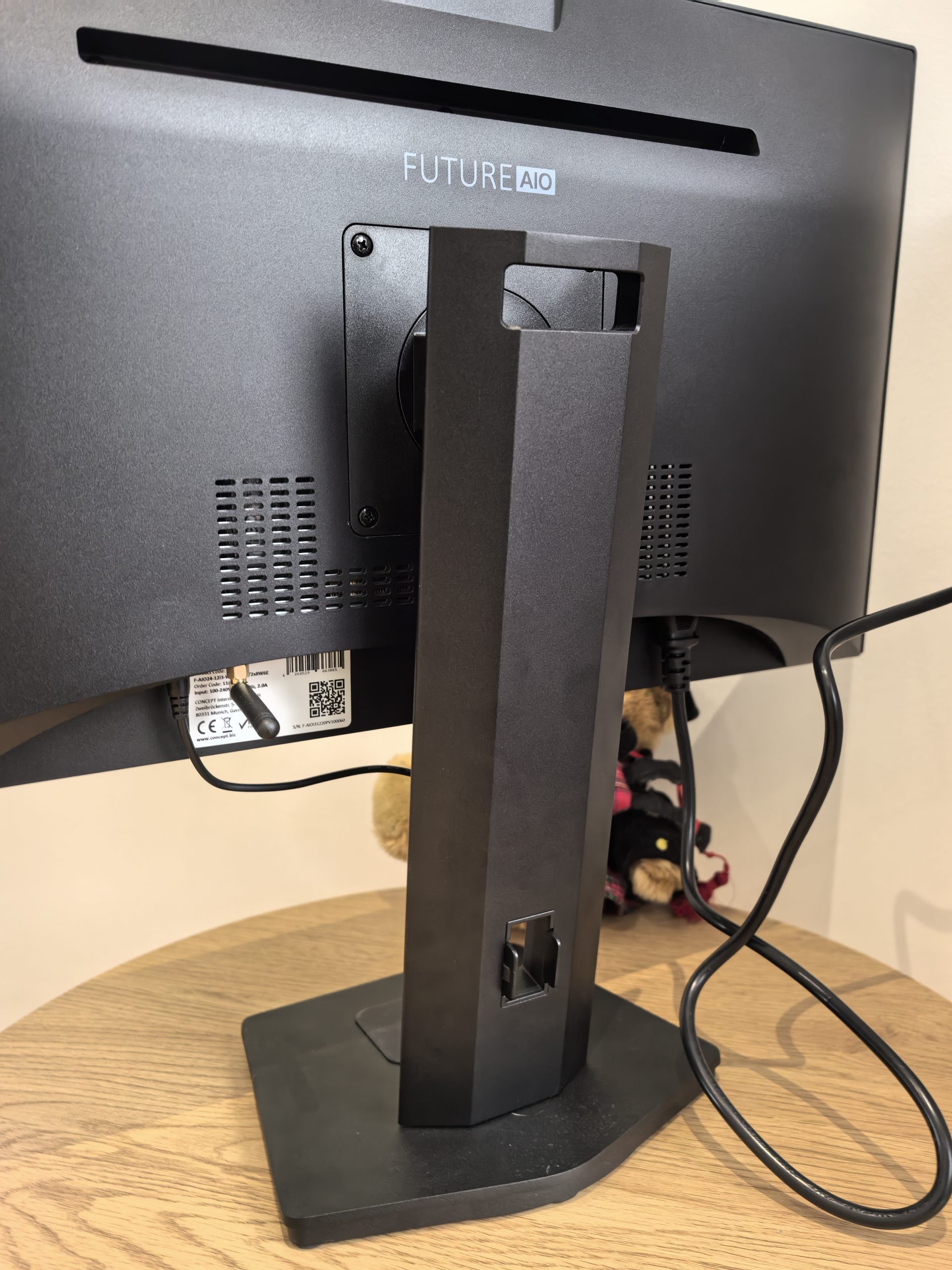
The FutureAIO works like a perfectly normal all-in-one business PC. It has a 24-inch display with thin bezels, a fairly discreetly designed chassis, and a stable stand that doesn't take up too much space.
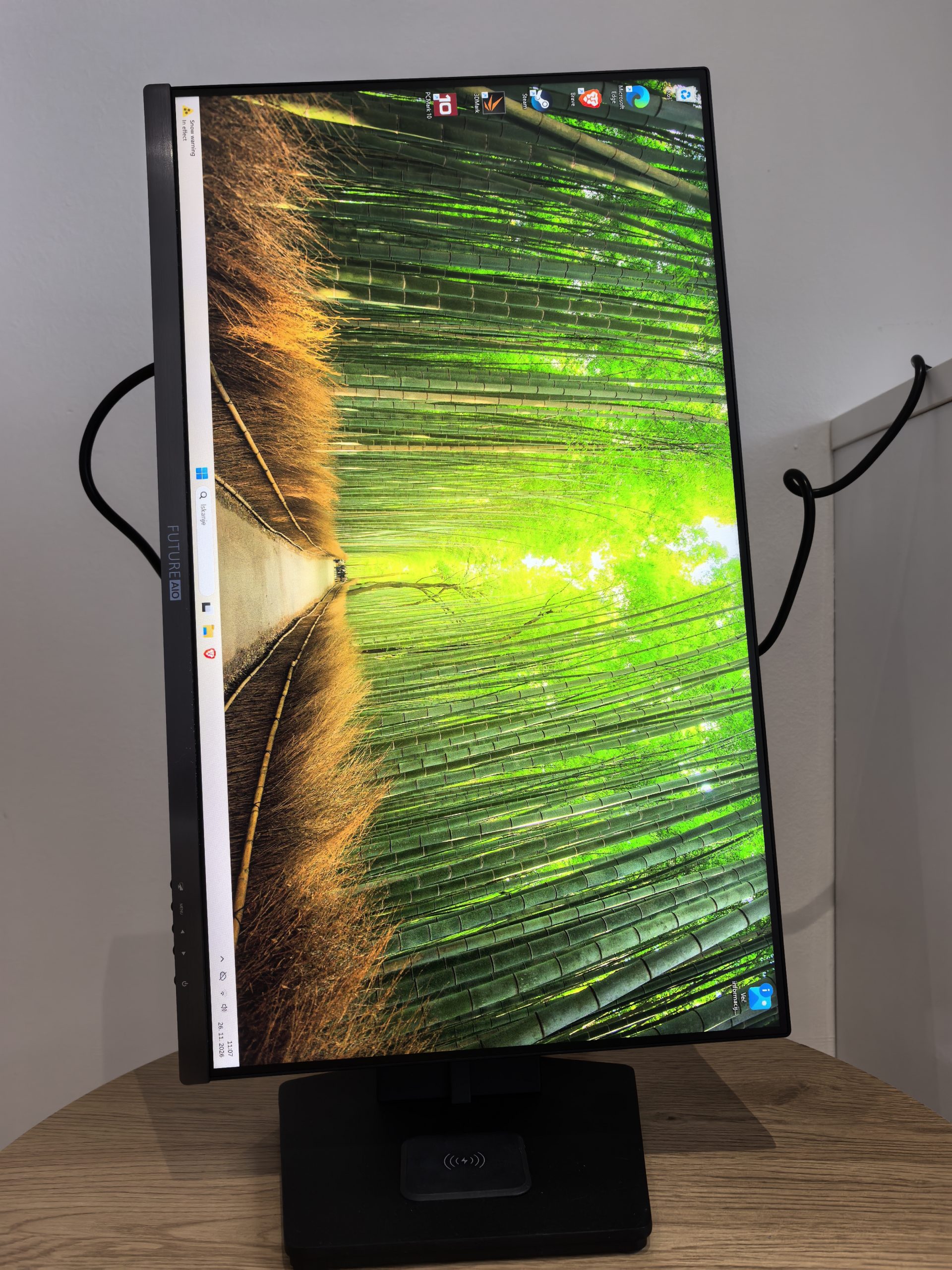
The biggest practical advantage of this design is fewer cables. The power supply is built-in, so you only need a power cable for basic operation. If you use a wireless keyboard, mouse and Wi-Fi, your desk can be much more organized than with a classic desktop computer. The base is also designed for ergonomic adjustment. The screen can be raised, tilted, swivelled and rotated 90 degrees to a vertical position. The last option is useful for anyone who works with long documents, programs or reviews large spreadsheets.
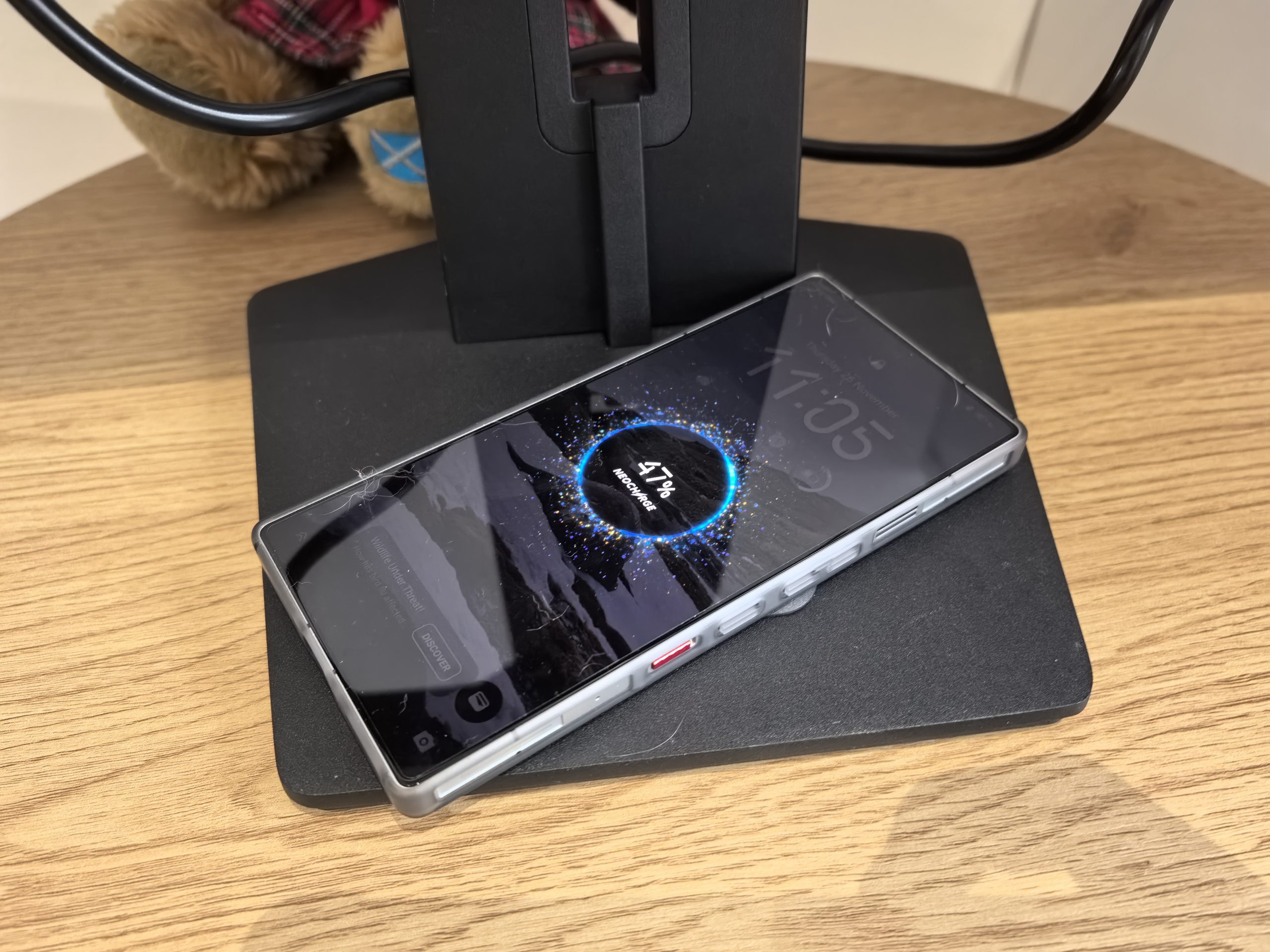
There is also a Qi wireless charging pad where you can place a compatible phone.
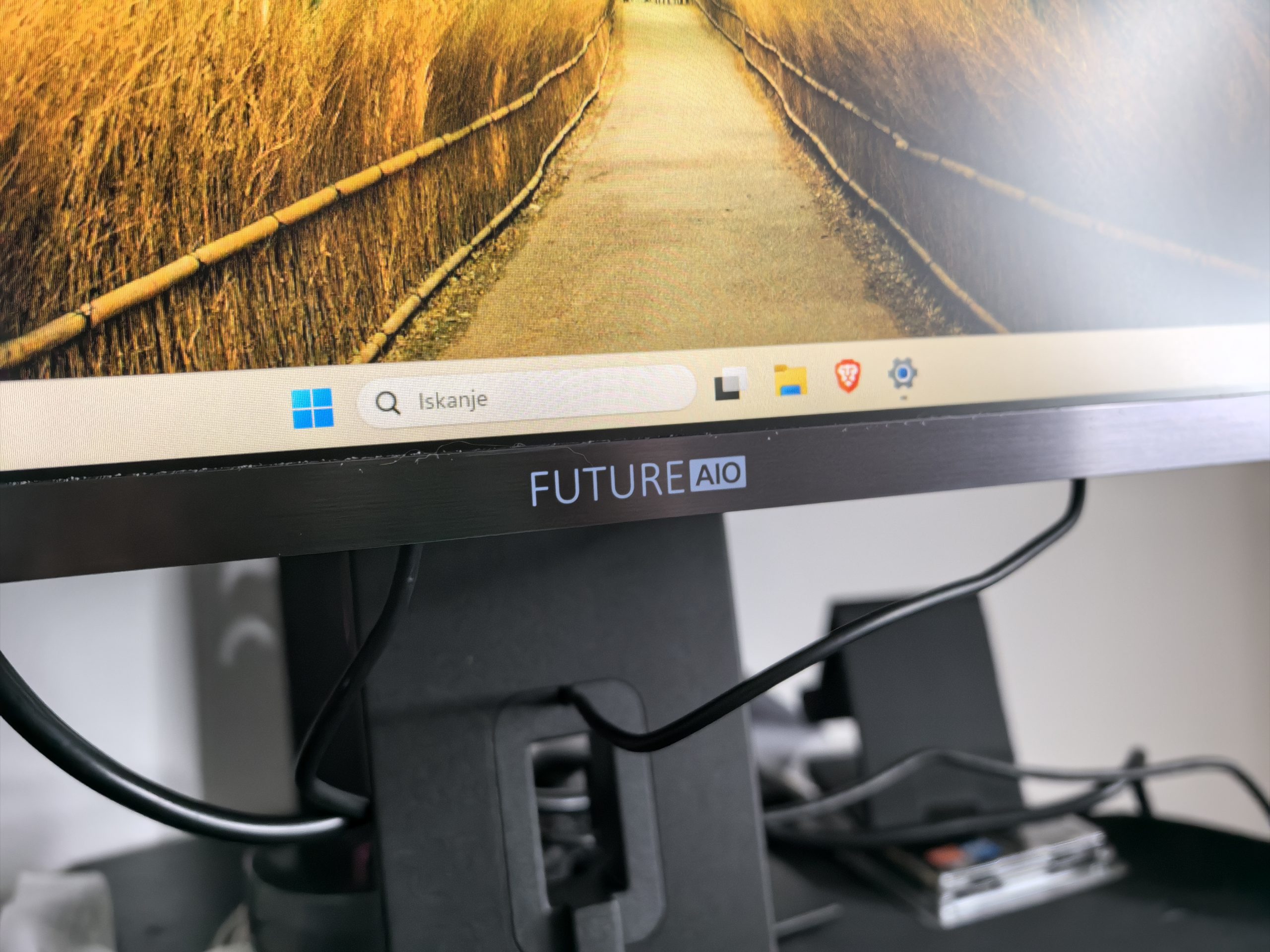
Full HD on 24 inches – enough for the office, less for more demanding users
The built-in display has a diagonal of 24 inches and a resolution of 1920 × 1080 pixels. This translates to a density of about 92 pixels per inch, which is fine for office tasks, but it doesn't offer a particularly sharp display.
At a normal viewing distance, text is readable enough, but with smaller fonts and graphics, the difference compared to QHD or 4K displays is quickly noticeable. Especially if you use a better monitor in tandem, you will notice these small differences even more quickly, but you also get used to them over time.
But this isn't a display that designers will admire. Its color accuracy isn't on par with dedicated creative monitors, and contrast is more average, suggesting that this is a computer for casual work with Word and Outlook.
The 16:9 aspect ratio is also a bit less practical than the 16:10 that is increasingly common in productivity laptops. The manufacturer also offers a 27-inch version with QHD resolution.
It refreshes at 60 Hz, but there is also an option for 70 or 75 Hz refresh, but at a lower resolution of 1280 x 1024, which is not a pleasant experience, so it's better to stick with FullHD and 60 Hz.
The Intel Core i3-1220P is old, but not yet worth writing off
I admit that I was immediately confused by the fact that it had a chip that was already quite outdated (by today's standards). The Intel Core i3-1220P is a 12th generation Alder Lake processor, which combines two powerful P cores and eight energy-efficient E cores. It has ten cores and twelve threads in total, as the more powerful cores support Hyper-Threading technology.
The powerful cores can reach frequencies of up to 4.4 GHz, while the more efficient ones can reach up to 3.3 GHz. The processor has 12 MB of L3 cache, and the base power consumption is 28 W, but can reach up to 64 W under short-term heavy load.
Regardless of what I think about its age, it's not going to have any problems with office work at the moment (and for at least a few years to come). As long as you know that you won't need anything more than Microsoft Office and the occasional Photoshop in the next few years, then this chip will be fine. Forget about video processing or, God forbid, 3D rendering. The two performance cores simply won't handle the load well.
Below are some more tests.
| Single core | Multiple cores | |
| Cinebench R23 | 1602 | 7448 |
| Cinebench 2024 | 91 | 427 |
| Geekbench 5 | 1409 | 6218 |
| Geekbench 6 | 2105 | 6905 |
| Geekbench 7 | 2108 | 8494 |
| PassMark CPU Mark | 3396 | 15.601 |
The results show relatively good single-core performance, which is important for responsiveness in common applications. The processor is less convincing in multi-core tasks, which is understandable considering only two powerful cores.
Graphics performance is for work, not gaming
The image display is provided by integrated Intel UHD Graphics with 64 execution units and a frequency of up to 1.1 GHz.
It's powerful enough to display your desktop, play videos, and use multiple monitors. Intel Quick Sync support is also useful for hardware-accelerated encoding and decoding of compatible video formats.
The fun doesn't start with gaming, it ends there. Older and less graphically demanding games can run at lower settings, but newer games are not an area I would recommend this computer for.
For example, I played PUGB at 25 fps on low settings and Counter Strike 2 at 40 fps. Neither of these numbers are ideal for games like this, but they are playable. GTA V stalled at 15 fps and I preferred to turn it off. I might suggest you try it emulating an older console (PlayStation 1 or 2), I think you will see more success and still have fun despite the older games.
16 GB of RAM is enough, but 256 GB of space quickly becomes insufficient
The 16GB RAM configuration is still adequate for normal office use. My biggest problem is with the SSD, which is a third-generation (PCIe 3.0) first, so it's not the fastest, and it only has 256GB, which I filled up in the first two hours of use (Office, one game, a few test programs). I think anyone who buys such a computer will very quickly reach for an external drive or NAS.
The advantage of FutureAIO is that the memory and SSD are not necessarily permanently tied to the rest of the computer. The modular design allows for interventions and upgrades.
The best feature is hidden behind the screen
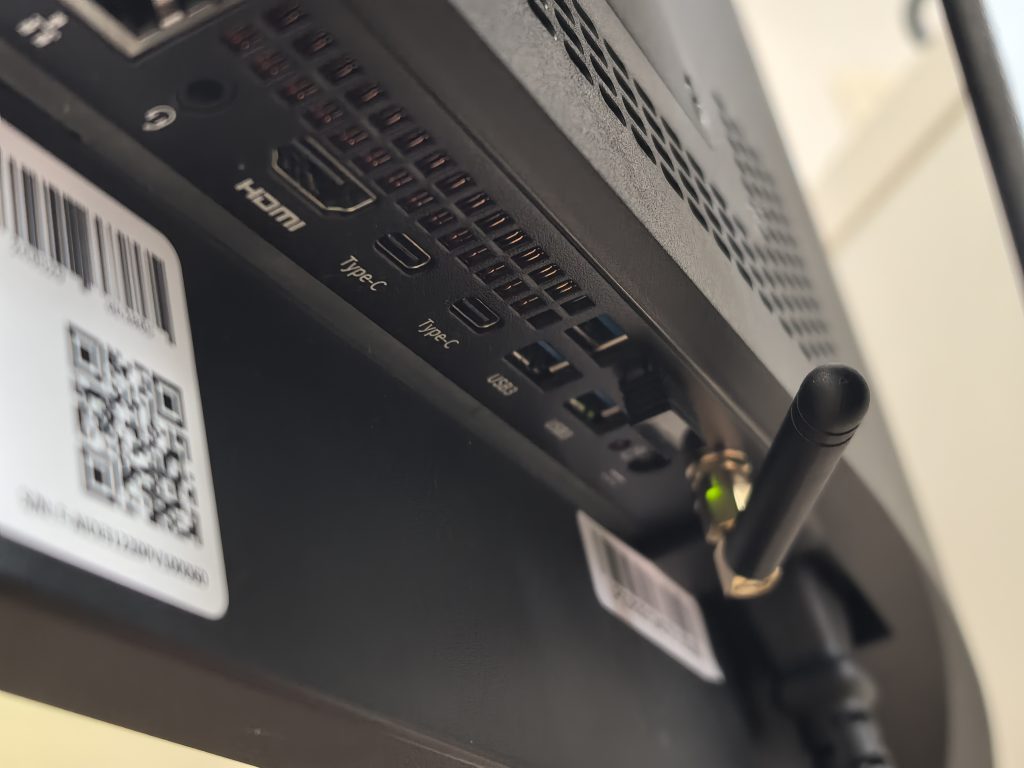
Forget about the chip, forget that it offers you everything in one place (computer, display), its trump card, as I've mentioned many times, is the replaceable Intel Smart Display Module or SDM. It contains the processor, memory, storage and key computer components.
If a malfunction occurs or the computer becomes too slow over time, the module can be removed and replaced with another compatible one. Once you know what you're doing, the replacement will take you 10 minutes. Since it's intended for work, companies may be happy to know that when a computer starts to slow down, it doesn't have to be immediately scrapped, but that there may be a lifeline in the form of a more powerful module.
The system supports various modules, including versions with more powerful Intel Core and Core Ultra processors, which is a much more tempting configuration, even for me. What worries me is the availability of these modules in a few years and their price.
There is no shortage of connections, the camera lifts out of the housing
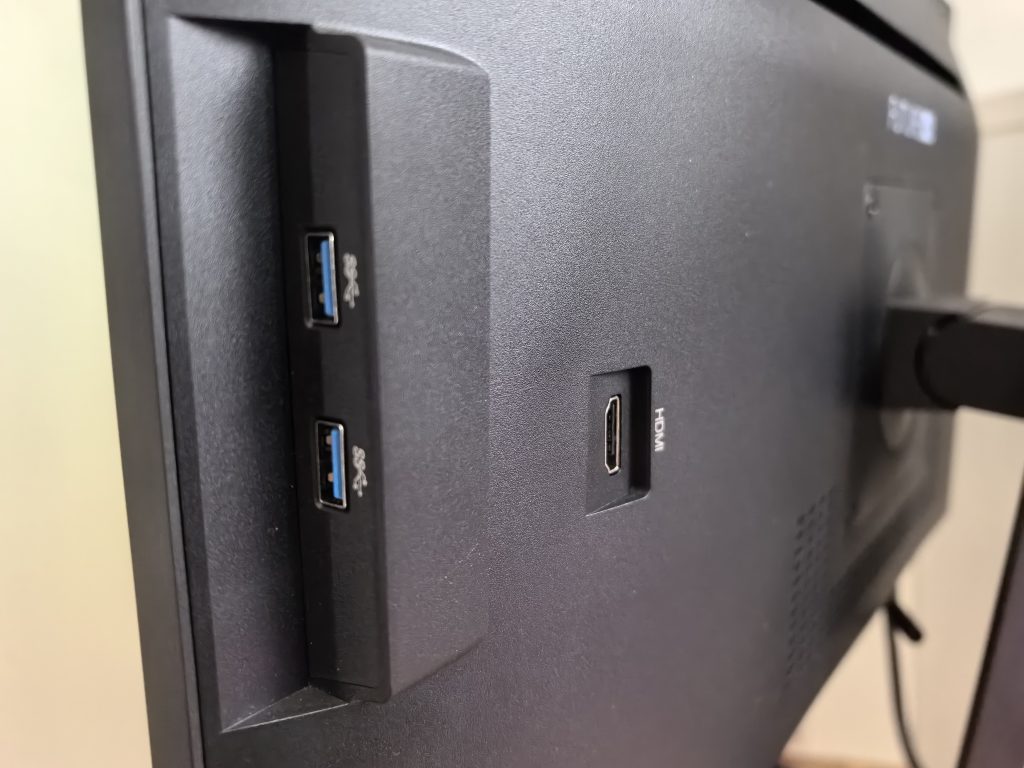
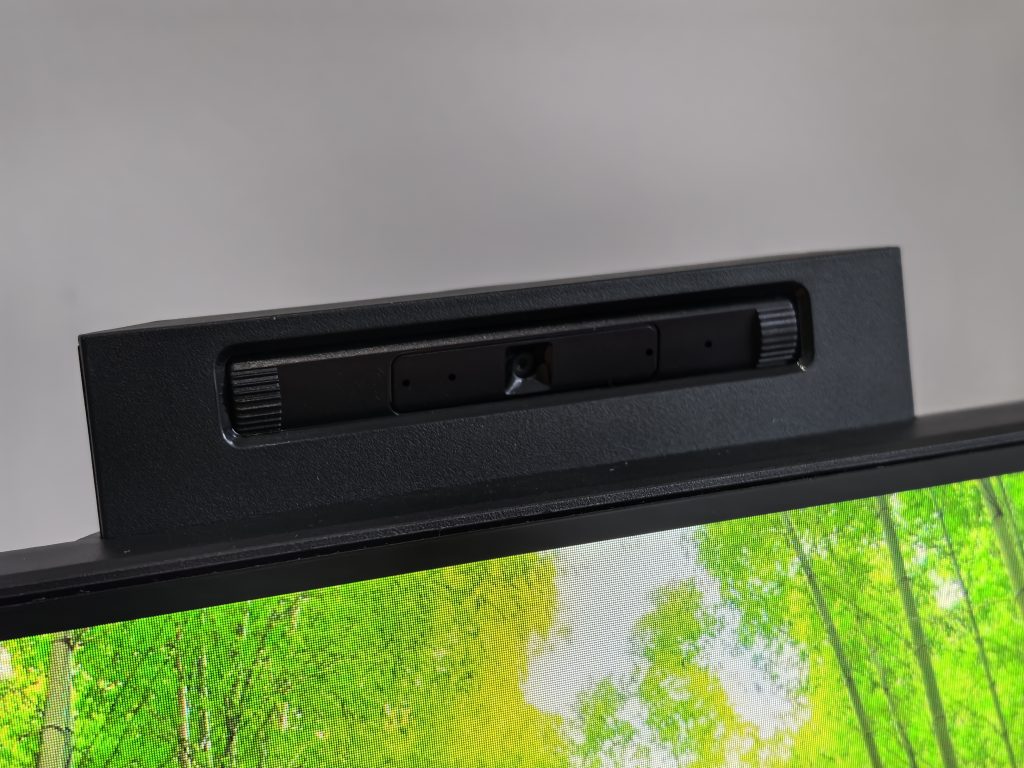
FutureAIO offers multiple USB ports, including USB-C with support for DisplayPort, HDMI, and gigabit LAN. Wi-Fi 6E and Bluetooth are also available. You can connect up to 3 additional monitors, although just one is enough for most users. The camera is cleverly hidden in the display housing and at first you think it's not there at all. The mechanism works reliably, and the image quality is expected in the sense that it is sufficient for video calls, but not brilliantly sharp and dynamic with colors.
FutureAIO AIO24 – has potential for an office worker, but not for anything else
The Intel Core i3-1220P is not a processor that would make me rush to the store today, but it is still powerful enough for most office tasks. In the FutureAIO, I would be more convinced by the ergonomic display, good connectivity and the ability to replace the entire computer module than by its performance. However, I would like a sharper display, and especially more storage space, as 256 GB is quite modest for long-term use.
I think it makes the most sense to buy such a computer for a workplace where the requirements will remain relatively similar for several years. Its special feature is that the screen, stand and most of the rest of the equipment can be kept when you next upgrade.
At the beginning of the test, I thought I had found a solution for users who, given the current price madness, do not know how to go about buying a computer. I can partially recommend such a computer, but under strict conditions. To start from scratch, that is, you do not even have a monitor at home and would save money on a monitor by buying an all-in-one computer. Secondly, you are not an overly demanding user, that you spend most of your time browsing the web, editing a document, and answering emails. Playing games should really be a side thought. For games, you should have a plan B (a good tablet, phone, or handheld computer). Maybe you should also consider whether you are willing to upgrade the module later or if you have someone nearby who can pick up a screwdriver, find a suitable module online, and replace it for you.
It doesn't sound like a very tempting offer, but in my opinion, this is something that should be included with every all-in-one computer.