

Share with others:

Logitech Signature Slim Solar+ K980 – the keyboard I don't charge. But is that enough?

When was the last time you charged your keyboard? I had to think about this myself. Wireless keyboards have long since stopped being devices that make you frantically search for a cable every other night. Some can last a year or two on a single set of batteries, and even if you have a wireless keyboard that lasts a week or two, charging it twice a month isn't so annoying that I need a completely unique solution like the Logitech K980.
And then there's the Logitech Signature Slim Solar+ K980, whose main selling point is that you'll never need a charger. At first glance, it solves a problem I barely have, but after a few days of use, I realized there's something very nice about a peripheral that you connect to your computer once and then practically forget about its battery.
The word “Solar” in the name is a bit misleading, though. The K980 isn’t a keyboard you’ll want to take to the windowsill every now and then. Logitech’s Logi LightCharge system uses both sunlight and artificial light, and the keyboard needs about 200 lux of light to start generating power. That’s a level of lighting that a typical office can easily achieve.
The idea is good, but what about the execution?
| Advantages | Weaknesses |
| In a well-lit room, you practically forget about charging. | No key illumination |
| Works with artificial light too | It doesn't have a USB-C port or wired mode |
| Very quiet typing | The inclination cannot be adjusted. |
| Full layout with numerical part | Typing is not on the level of good mechanical or MX keyboards |
| Connection with three devices | The Logi Bolt receiver is not included with the regular version. |
| Very good Logi Options+ | Solar charging solves a relatively small problem |
| Windows, macOS, ChromeOS and mobile devices | The keycaps and materials don't feel as premium as MX Keys |
| Up to four months of operation without light | No classic LED indicators for Caps Lock and Num Lock |
A solar cell that doesn't actually need the sun
The K980 isn't Logitech's first attempt at a solar keyboard. The K750 used a similar idea about 15 years ago, but the difference is mainly in how much light today's technology requires.
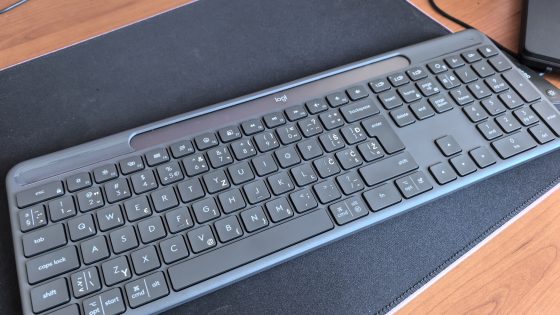
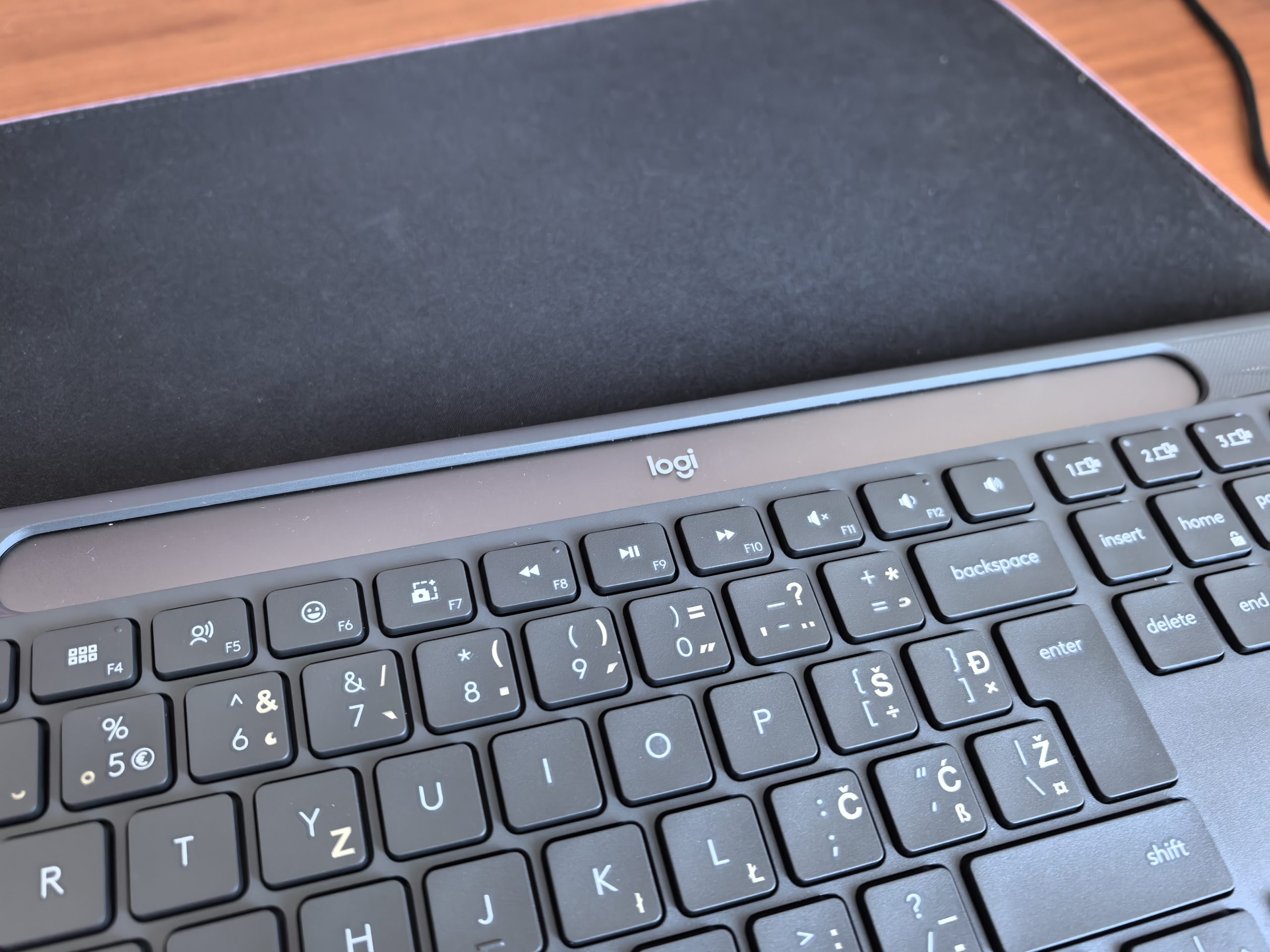
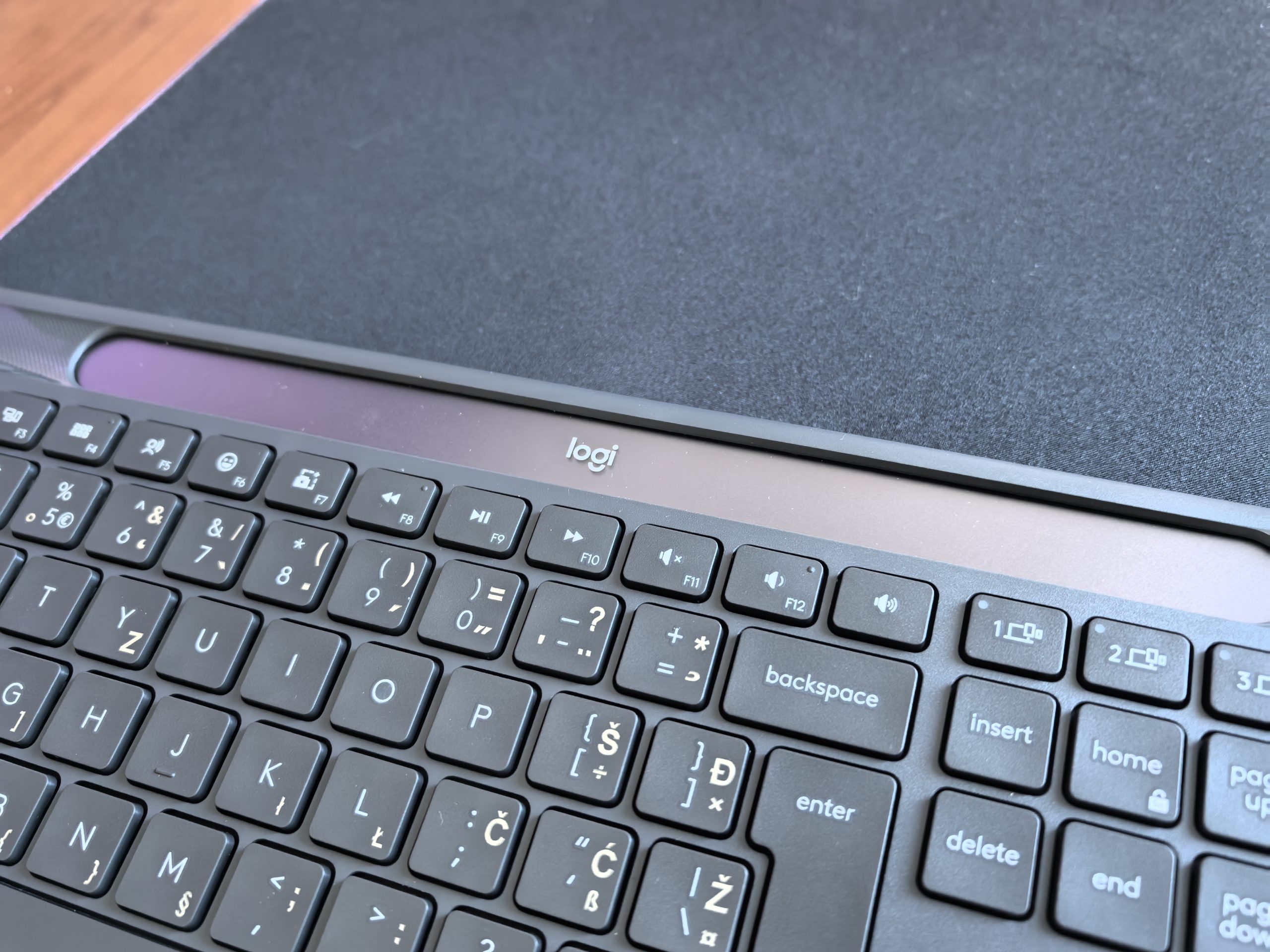
There's a long dark strip on the top edge of the K980 that's actually a photovoltaic element. Logitech connects it to a small internal rechargeable battery in a system it calls Logi LightCharge. When there's enough light, the energy is stored in the battery and used by the keyboard when there's no light.
Logitech says that a fully charged K980 can operate in complete darkness for up to four months, and estimates the battery life itself at up to ten years. If I use the keyboard in a normal office, it doesn't matter if it doesn't charge on a cloudy day. I have a lot of reserve in the battery. If I have a four-month reserve, I have plenty of time to move the keyboard to a brighter place for a while. In the Logi Options+ app, I can also check whether the current light is sufficient for charging, which is a small but very sensible feature.
The most unusual decision is a hole that doesn't exist
When I first looked at the edges of the K980, I automatically looked for a USB-C port. It's not there. Nowhere. The keyboard can't be plugged in with a cable, charged via USB-C, or used as a wired keyboard. I understand the logic. Logitech wants to make a product where the charging cable is simply no longer part of the equation, but I still think it's an unnecessary risk. The USB-C port could go completely unused for most of its life, but it would serve as a backup.
If the solar panel has a problem after a few years, if I put the keyboard in a closet for several months, or if the internal battery starts to lose capacity, I would still have an alternative power source with the cable. So I don't have one. For a device whose main feature is a ten-year battery life, it's somewhat ironic that the lack of a power outlet is one of the things that raises the most concerns for me regarding long-term use.
Underneath all the glitz, it's a completely classic office keyboard
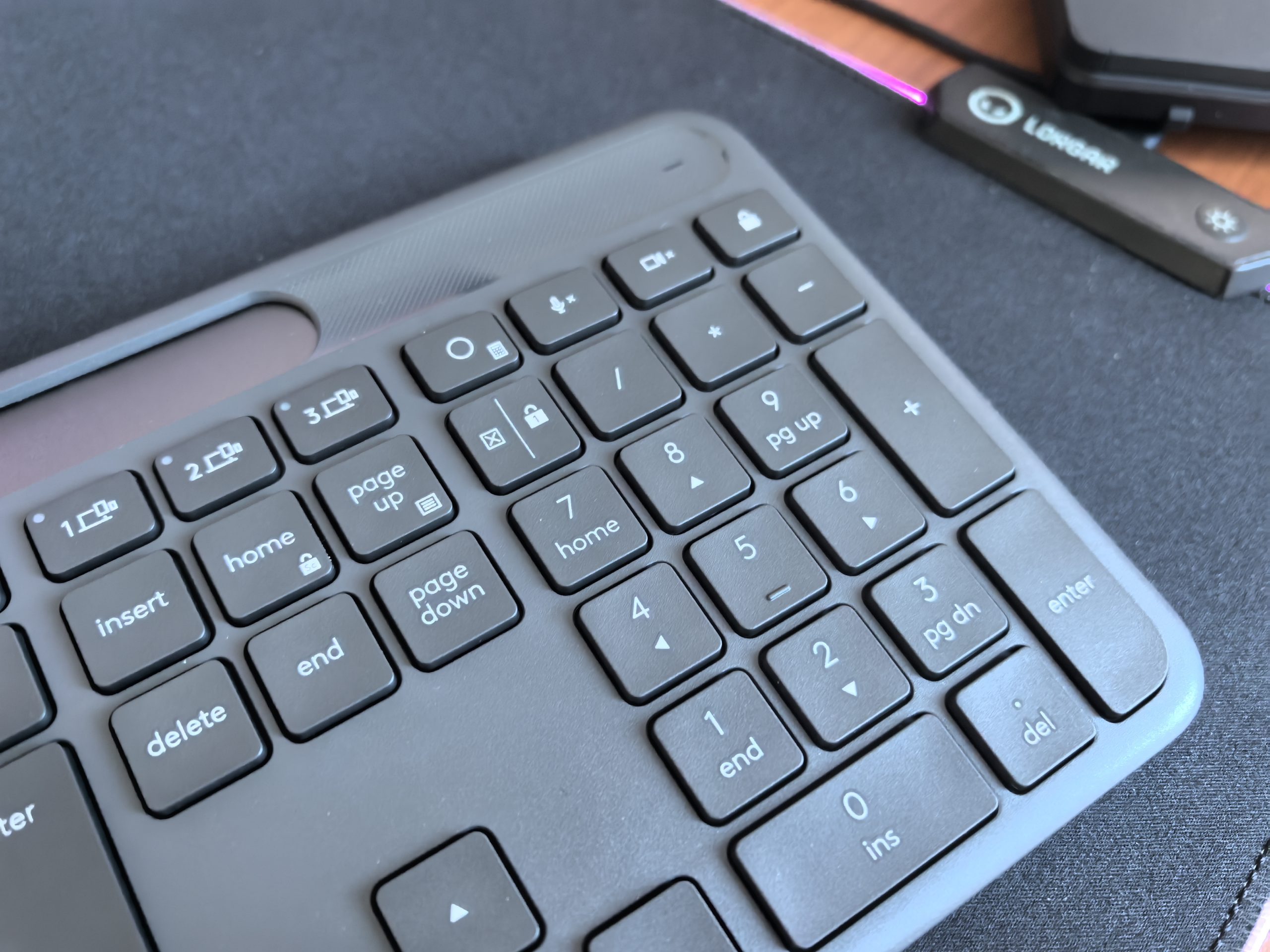
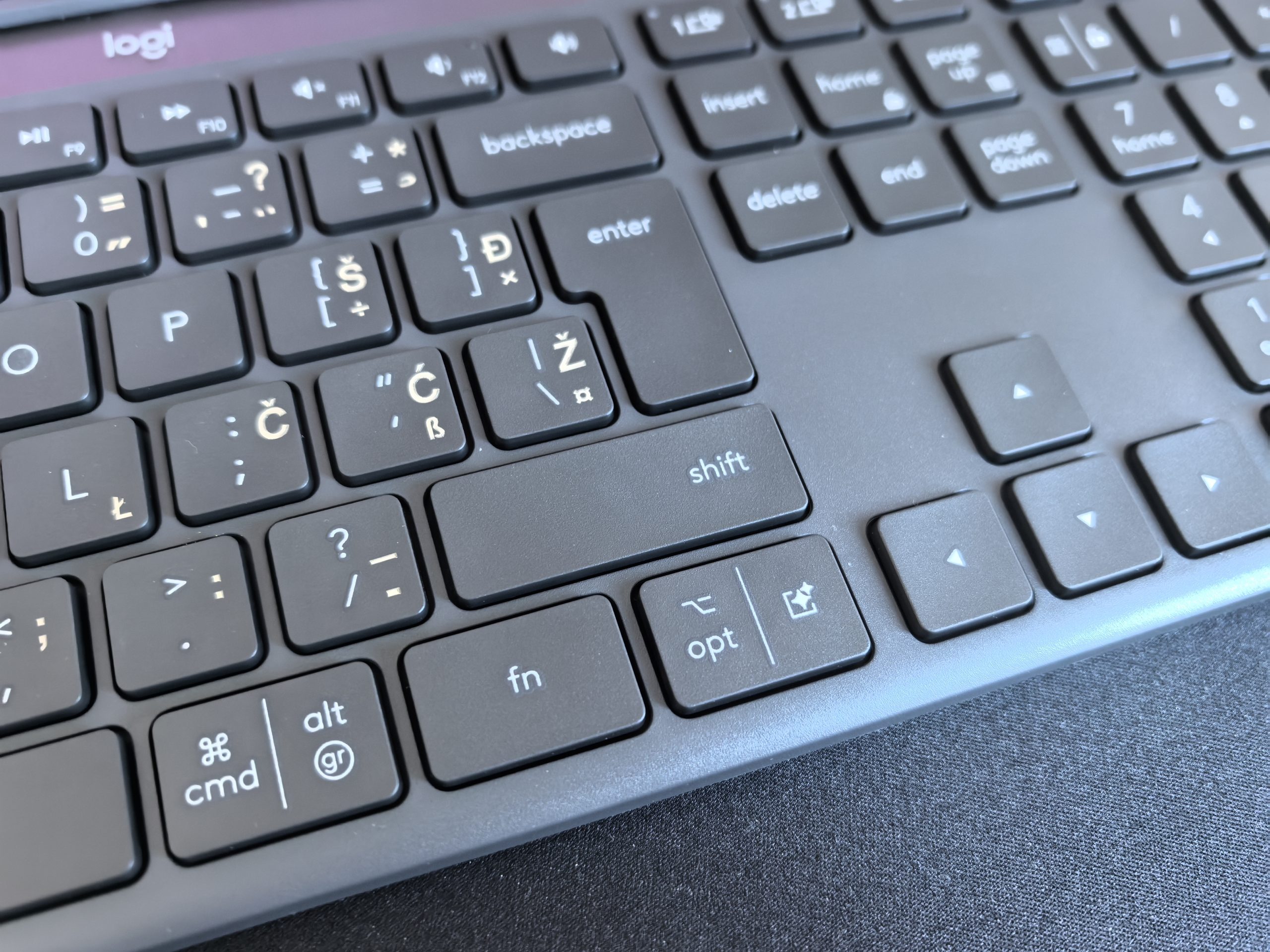
Underneath all the solar technology is a very classic office keyboard. The Logitech K980 uses low-profile scissor keys, similar to those found on laptops, and the layout is full-size. You get a number pad, separate arrow keys, and a function bar, which will appeal much more to Excel users than to fans of the compact 75-% keyboards.
Typing is very quiet, which is one of the biggest advantages of the Logitech K980. If I worked in an open office or at home next to someone who gets annoyed by mechanical keyboards with clicky switches, I would quickly appreciate this. The key travel is short, the pressure is light, and the feel is very similar to a better laptop. This is a keyboard for the user who likes this type of typing and would like to transfer it to a desktop computer. I don't know anyone who actually likes a laptop keyboard (at least better than a desktop keyboard), but I believe that there is also this target group.
If you're used to a mechanical keyboard with a distinct tactile response, the K980 almost certainly won't convert you.
One thing was sacrificed on the altar of battery
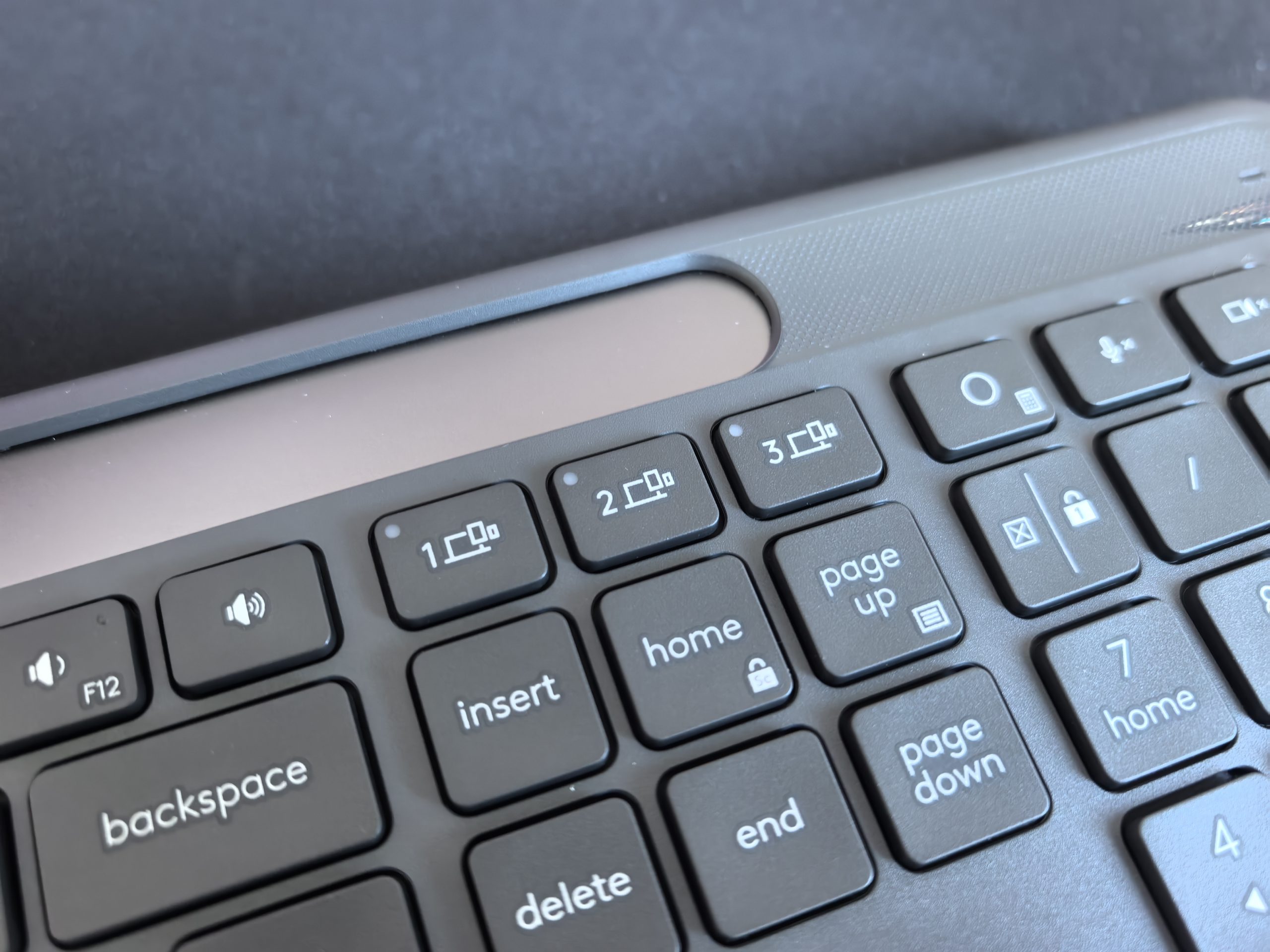
The Logitech K980 doesn't have backlit keys, which is a logical consequence of its design. Backlit keys would be by far the biggest power drain and would quickly kill the whole idea of LightCharge. If you type blindly, this isn't a problem, but if you're working in a dark room at night, the lack of backlighting is one of the first things you'll notice. The Logitech K980 doesn't even have the classic LED indicators for Caps Lock and Num Lock. Logitech can show me the status programmatically on the screen via Options+.
Very thin, maybe even too thin
The keyboard is very low and lies almost flush with the table, which means that I don't need an additional wrist rest when working. When typing for a long time, this position is much more natural for me than with tall mechanical keyboards. But Logitech went a bit too far with minimalism, as the angle cannot be adjusted. There are no classic feet on the bottom. If the factory angle suits me, great, if not, I have to resort to much more analog solutions and put something under the keyboard. The housing is mostly plastic, but there is aluminum reinforcement inside.
One of the most useful features is Easy-Switch. I can connect the K980 to up to three devices via Bluetooth and switch between them with a dedicated button. Windows, macOS, and ChromeOS are supported, and basic features also include Linux, Android, iOS, and iPadOS. It is also supported Bolt logos, but the regular consumer version doesn't come with a receiver. If your computer doesn't have Bluetooth or you prefer a dedicated wireless receiver, you'll need to buy one separately.
For around 90 euros, the competition is quite unpleasant
I would first choose the Logitech Signature Slim Solar+ K980 for an office, especially for a workstation with multiple computers. That's where its advantages make the most sense: it's almost silent, has a numeric keypad, I can switch between three devices in a second, I don't need a cable, and in a well-lit room I practically never think about the battery. I wouldn't buy it for gaming, and I wouldn't recommend it to someone who chooses a keyboard primarily for the feel of each keystroke.
The K980 is priced around 90 euros, which in itself is not excessive. The problem arises when I look at what Logitech offers around it. The Signature Slim K950 is cheaper and offers a very similar basic experience without a solar system. If I go a little higher, I quickly approach the MX Keys S, which has backlit keys, a better quality feel and, for me, a slightly more pleasant typing experience.