

Share with others:

Open source tools that can replace well-known and expensive solutions

Sometimes it's a small file-sending tool. Other times it's a full-fledged game development engine, a self-hosting application system, an audio editor, or a network analysis program that lets you see exactly what's going on on your network.
Open source software has a strange reputation among some users. Some still see it as a free alternative that is only useful if you don't have the money for a "real" program. This is an outdated view. Today, some open source projects are better, more transparent, and more honest than closed alternatives. Not always. Open source doesn't automatically mean better. It does mean that the source code is available for the community to review, fix, adapt, and develop further. For some projects, it also protects the user from becoming a prisoner of one service, one subscription, or one business decision overnight.
The tools below are not from the same world. AlterSend has little in common with PostgreSQL, QGIS is not Audacity, and Wireshark is not exactly a program you would open to relax after lunch.
LocalSend is for local sending, and AlterSend is for everything else
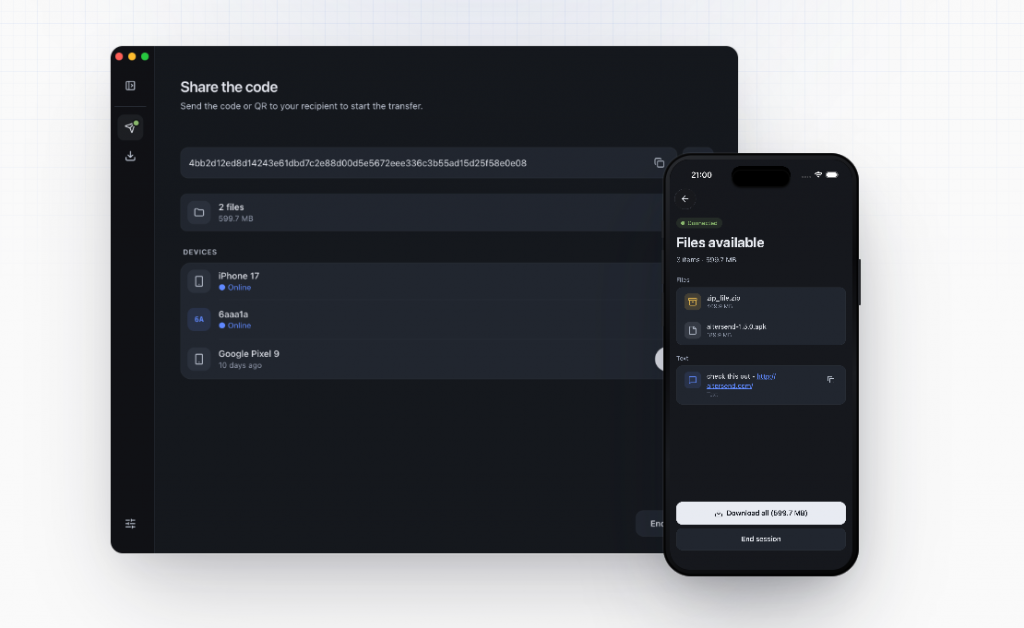
AlterSend is a tool for sending files directly between devices. The idea is very simple. The two devices connect, usually via a QR code, and the file travels directly between them, encrypted and without uploading to the cloud. This means no account, no size limit in the sense of classic online solutions, and no questioning where the file actually ended up.
You can replace WeTransfer, Dropbox Transfer, Google Drive links, or various file-sending websites. Of course, this is not the same as long-term cloud storage. If you want archiving, folder sharing, and version history, you'll still use Nextcloud, Google Drive, or Dropbox. But if you want to send a large file to a friend, colleague, or yourself on another device without an intermediary, AlterSend is a good answer.
If you want to send a file to yourself, for example from your computer to your phone, you can use LocalSendThe principle is very similar, but the exchange only works for devices that are on the same network.
VLC is a player that opens almost everything
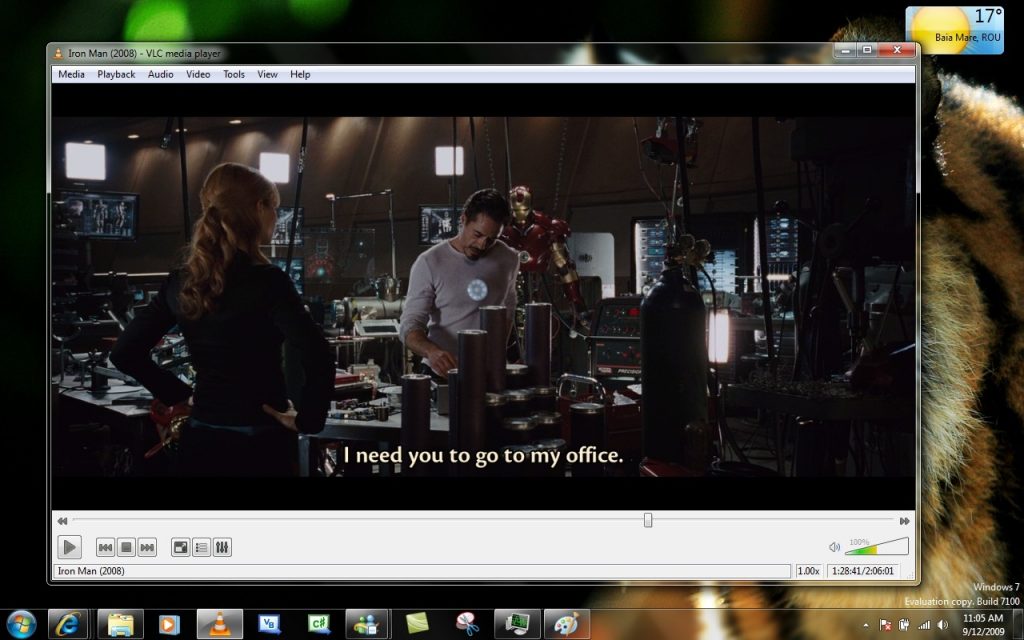
VLC is one of the most famous open source programs in the world. If there is a video or audio file, there is a good chance that VLC will play it without additional codecs. It supports practically all major formats, DVDs, network streams, web radio stations and even IP cameras.
It can replace Windows Media Player, QuickTime, some of the functionality of commercial players, and many programs that require the installation of additional codecs. In addition to playback, it also allows file conversion, screen recording, video capture from cameras, and network streaming.
Its biggest advantage is its simplicity. You install it and it works.
OBS Studio: professional recording without a license
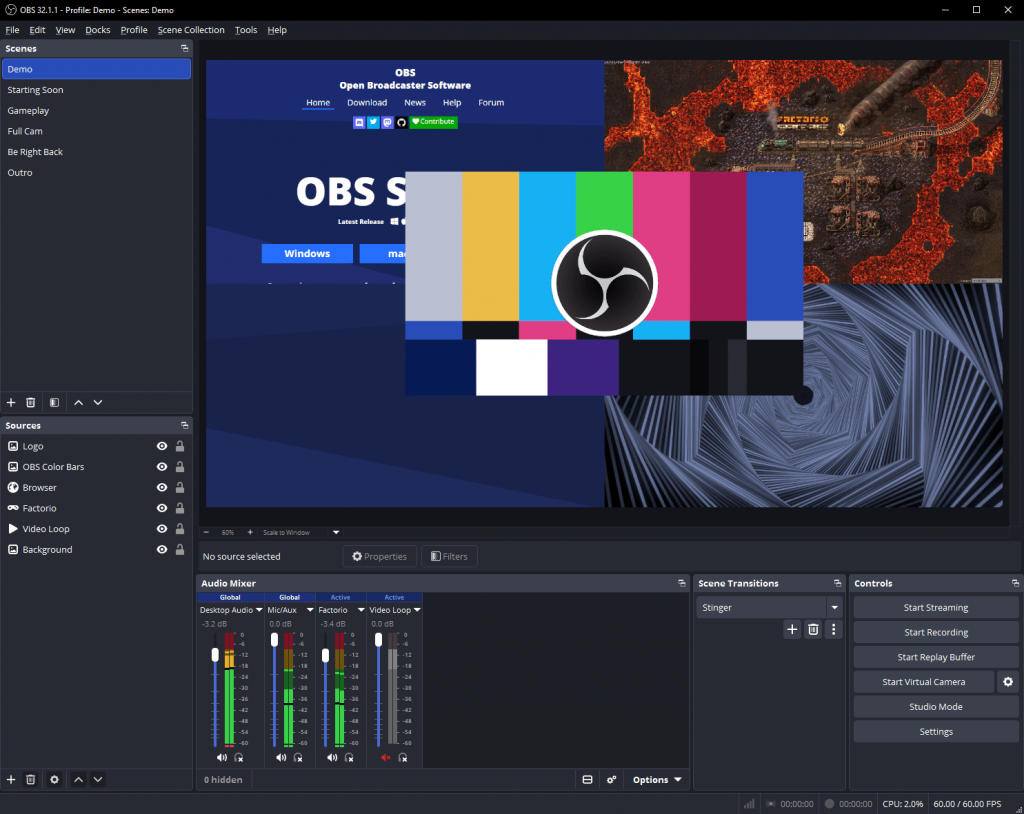
OBS Studio is an open-source screen recording and live video streaming tool. Today, it is used by content creators on YouTube, Twitch, and other platforms, as well as businesses, schools, and organizations for online presentations, webinars, and training recordings.
OBS can replace the basic features of Camtasia, XSplit, or various paid screen recorders. It allows you to use multiple cameras at once, capture individual windows or the entire screen, add microphones, graphics, scene transitions, and broadcast directly to YouTube, Twitch, Facebook, and other platforms.
Although it offers a lot of advanced features, it's simple enough to create a quality video or live stream in minutes, making it one of the best free video creation programs.
NetBird is a VPN for people who don't want to mess with the network
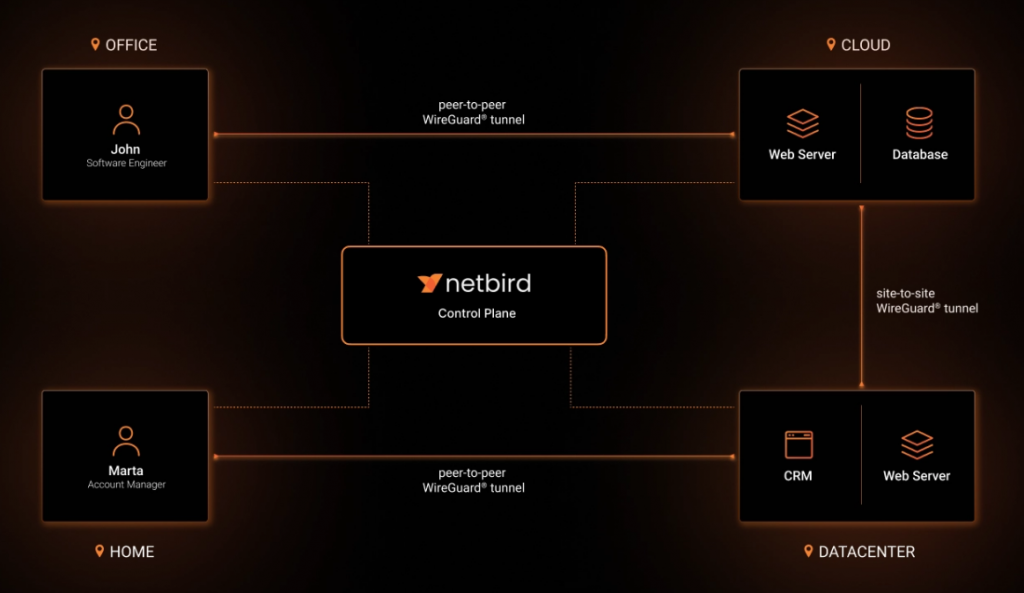
NetBird is an open source solution for securely connecting computers, servers, NAS, and remote users to a private network. It uses WireGuard behind the scenes, but adds simpler management of devices, users, and access rules. Instead of opening ports on the router, setting up DDNS, and hoping that we haven't accidentally exposed half of our home network to the internet, we install a client on the devices and connect them over an encrypted private connection.
The Zero Trust approach means that access is not taken for granted. The user or device only sees what we allow it to. That's why NetBird is a great alternative to classic VPN, OpenVPN, ZeroTier or Tailscal - especially for home servers, NAS, internal applications and small businesses.
Wireshark sees almost everything
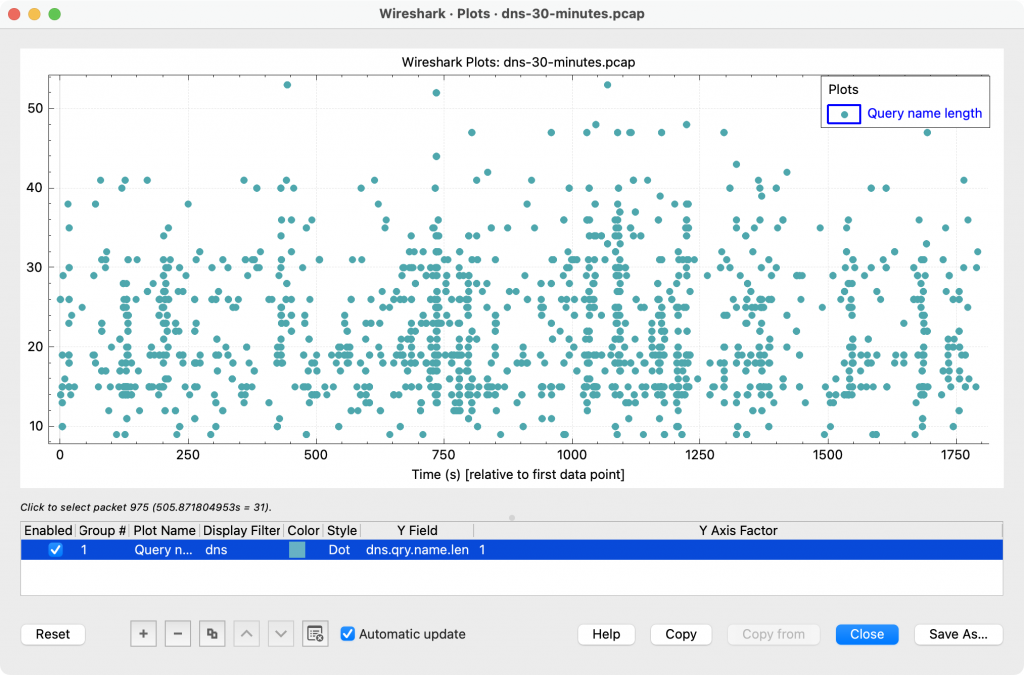
Wireshark is a network protocol analysis tool. It captures traffic and shows packets, protocols, addresses, ports, DNS queries, TCP connections, and many other details. Wireshark can be a very powerful tool to delve into our network and find out what's going on in fiber optic cables and wireless waves.
It can replace some of the use of tcpdump, commercial traffic analyzers, and a lot of guesswork when troubleshooting network issues. It's not a tool for a beginner who just wants to check their internet speed. But it's invaluable when you need to determine whether the problem is DNS, connection, TLS, application, or server-side.
FFmpeg is a Swiss Army Knife for audio and video
FFmpeg is one of those tools that many people use without even knowing it. It is used in the background by many programs and services because it can convert, cut, merge, record, compress, and stream almost anything related to audio and video.
It can replace various video converters, online converters, some of the functionality of Adobe Media Encoder, HandBrake in more technical scenarios, and a bunch of small programs that only do one thing. FFmpeg is a command-line tool, which means it's a bit crude at first. But once you get the hang of it, it becomes very useful.
For example, you can extract audio from a video, reduce the size of the clip, convert the format, trim the beginning and end, or prepare the file for online publication in a few seconds.
Audacity is very popular among musicians
Audacity is a free, open-source audio editor and recorder. It is used by podcasters, musicians, journalists, teachers, and anyone who needs to quickly record, clean, or export audio.
It can replace basic use of Adobe Audition, Ocenaudio, WavePad, or various online audio editors. It's not the most elegant digital audio workstation, and it's not designed for complex music production on the level of Ableton or Logic Pro. But it's great for cutting tracks, cleaning noise, normalizing volume, recording speech, and preparing audio for publication.
Godot Engine: subscription-free game development
Godot is a free, open-source engine for developing 2D, 3D, and XR projects. You can use it to develop games, interactive presentations, educational applications, or prototypes. It is most often mentioned as an alternative to Unity, and in some cases as a lighter alternative to Unreal Engine.
Its popularity has also grown because developers don't like uncertainty about licenses. If you've been making a game for years, you don't want the rules to change so much that you have to recalculate your business model. Godot is licensed under a very permissive license, making it attractive to indie developers, schools, and smaller studios.
GDScript, Godot's main scripting language, is simple enough to get you started quickly, while the engine also supports C# and other modes of operation.
Darktable is like a photographic darkroom
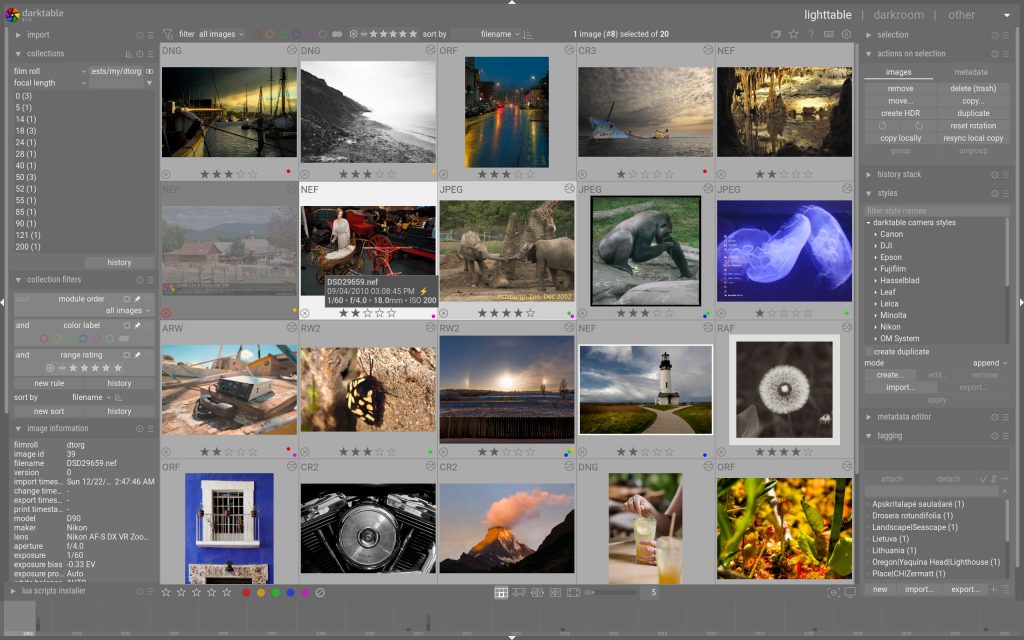
Darktable is an open-source software for photo workflow and RAW file development. It is best understood as an alternative to Adobe Lightroom. It manages your photo library, allows non-destructive processing of RAW images, and exports finished photos.
Non-destructive means that the original file is not destroyed. The program remembers the processing steps, and the photo remains original.
Darktable is not the easiest program for a beginner, because it has a lot of modules and a different logic than Lightroom. But once you understand masks, exposure, color correction and local adjustments, it becomes much more understandable. My advice would be to not try to use all the modules at once. Choose a few basic ones and master them. In photography, too many sliders quickly do more harm than good.
Coolify is useful in the hands of developers
Coolify is a self-hosted open source PaaS solution. This means you get an experience like Heroku, Vercel, Netlify or Railway on your own server. Instead of manually setting up Docker, reverse proxy, SSL certificates and environment variables for each application individually, Coolify simplifies much of this in the web interface.
It is very useful for developers who have a VPS and want to run websites, APIs, databases, WordPress, Ghost, Plausible, Uptime Kuma, or other services on it.
Coolify is great for smaller production projects and internal services, but I wouldn't hesitate to use it as the sole foundation for critical infrastructure without backups and monitoring.
QGIS: Maps Are Not Just for Geographers
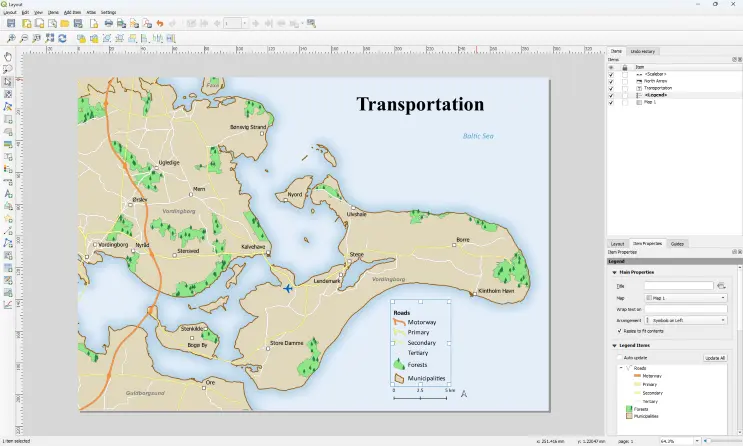
QGIS is a free, open-source geographic information system. It is used to view, edit, analyze, and publish spatial data. This includes parcels, layers, roads, land use, elevations, watercourses, forests, traffic, addresses, municipal data, and anything that has a location.
PostgreSQL: a database that is harder to outgrow than most others
PostgreSQL nor is it an alternative to any program. The word is almost offensive for such a service. It is not just a free replacement for MySQL or a cheaper way around commercial databases. PostgreSQL is a serious object-relational database used by small projects, startups, web services, analytical systems and large enterprise environments. It handles classic SQL, transactions, complex queries, advanced indexes, JSON, extensions and, with the PostGIS add-on, also very powerful work with geographic data.
Its advantage is that it grows with the project. You can start with a small application, then add more tables, more users, more data, more complex queries, APIs, reports, geographic layers, and analytics, and PostgreSQL doesn't start complaining right away.
A poorly designed database will also be slow in PostgreSQL. The difference is that you have a lot of tools at your disposal to solve the problem properly.
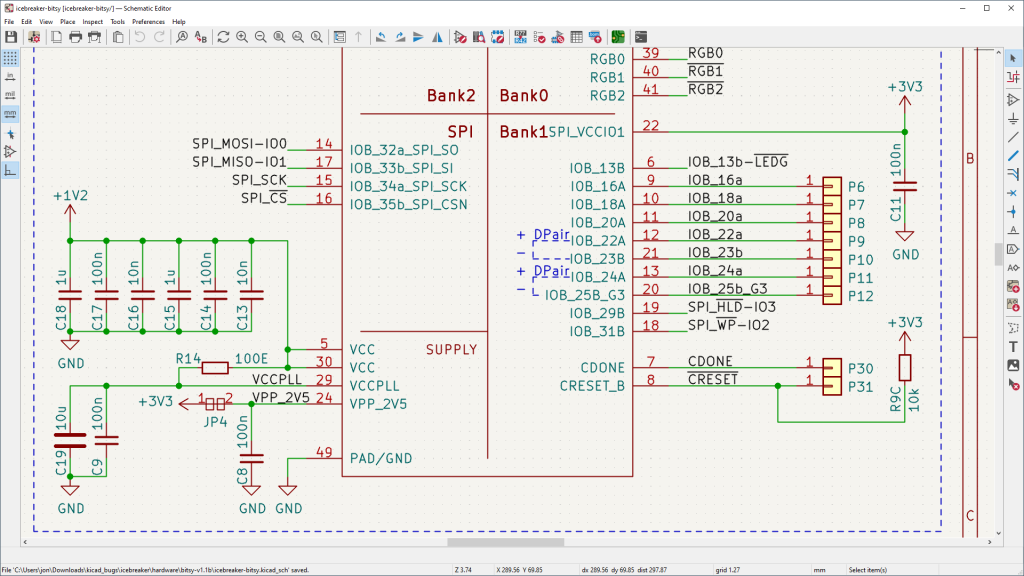
KiCad – when a circuit drawing is no longer just a pretty sketch
KiCad is an open source tool for designing electronic circuits and printed circuit boards. With it, we can draw a schematic, select components, determine their footprints on the board, route connections, check for errors, view the 3D model, and finally export files to send to the PCB manufacturer.
It can replace Eagle, EasyEDA, and in less demanding environments, even some of the use of Altium. It is not tied to one board manufacturer, does not force you into a subscription, and does not act as a tool that tells you after a few hours of work that you have outgrown the free package.
KiCad is very useful for hobby electronics, school projects, prototypes, and smaller professional products.
Open source programs are a very important counterbalance
Open source is not a religion, nor is it a guarantee that a program will be better. But it is a very important counterbalance to a world where almost everything is becoming subscription, cloud, and locked-down ecosystem. With open source tools, the user often has more control. They can use them without being forced into a specific business model, they can host them themselves, they can test how they work, and they can be developed by the community long after the commercial product might have been discontinued.
Not all programs are for everyone. And rightly so. But if you add at least one of them to your workflow, you'll be surprised at what tools you come across along the way.